12.1.  Settings...

12.1.1. Launch
12.1.2. "Table" tabbed page
12.1.3. "Bill of material" tabbed page
12.1.4. "META" tabbed page
12.1.5. "Assembly" tabbed page
12.1.6. „Line Settings “tabbed page
12.1.7. "Log settings" tabbed page
12.1.8. "3D settings" tabbed page
12.1.8.1. Templates
12.1.8.2. "Elements" tabbed page
12.1.8.2.1. Display
12.1.8.2.2. Line colors / thickness
12.1.8.2.3. Threads
12.1.8.2.4. Center point
12.1.8.3. "Environment" tabbed page
12.1.8.3.1. Background colors
12.1.8.3.2. Background texture
12.1.8.3.3. Logo
12.1.8.3.4. Environment sphere
12.1.8.3.5. Floor
12.1.8.4. "Miscellaneous" tabbed page
12.1.8.4.1. Handling
12.1.8.4.2. Mouse and keyboard assignment
12.1.8.4.3. Correct aspect ratio
12.1.8.4.4. Other
12.1.8.4.5. Controls
12.1.8.4.6. Standard material
12.1.9. "Part selection" tabbed page
12.1.9.1. Sorting
12.1.9.2. Project statements
12.1.9.3. Document types
12.1.10. "Network" tabbed page
12.1.11. "Web assistant" tabbed page
12.1.12. "Export to CAD" tabbed page
12.1.13. "2D view" tabbed page
12.1.14. "Search" tabbed page
12.1.14.1. General
12.1.14.2. Text Search
12.1.14.3. Sketch search (2D)
12.1.14.4. Geometric search (3D)
12.1.14.5. Color Search

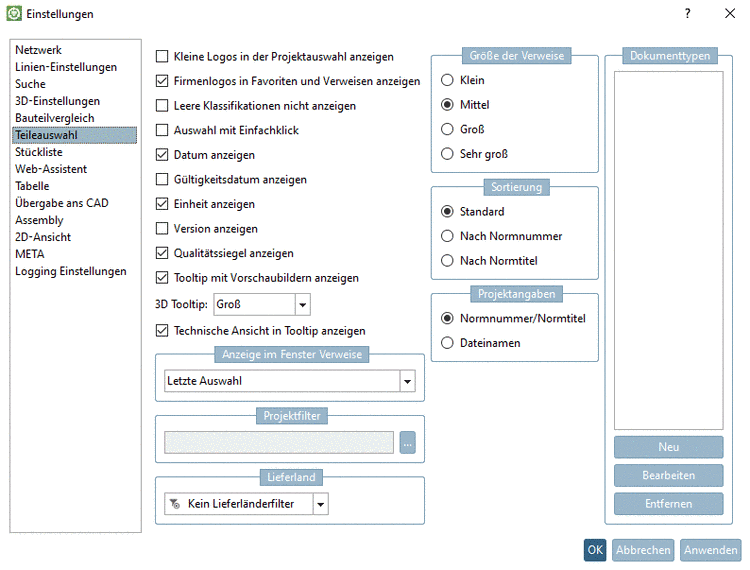
In the dialog box Settings, you can access nearly all setting options.[119]

On the left, in the menu, select the desired setting dialog:


[119] In seldom cases or for pure administrative settings, access is only possible via configuration file.