5.8.2.1.20.
Automation
5.8.2.1.20.20.
Enrich the catalog with accessory information
|  |
| Prev | Next |
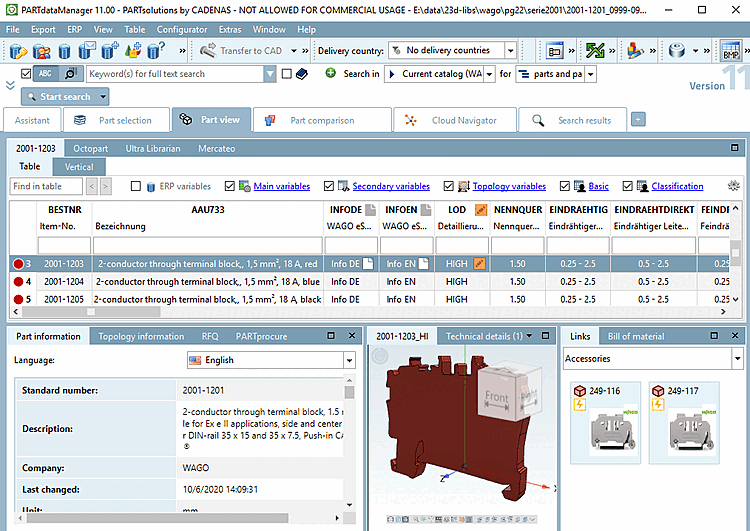
The Enrich catalog with accessory information [Enrich the catalog with accessory information] function offers the option of importing mapping information from a CSV file. In PARTproject the corresponding entries are then automatically set on the References [Links] tab page and the accessories are displayed in the final result in PARTdataManager are displayed in the final result.
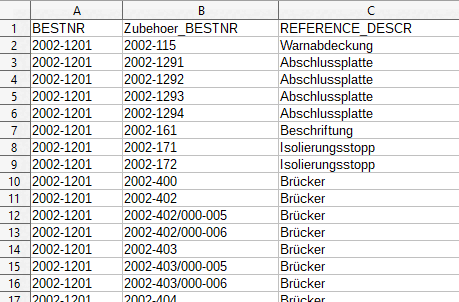
The CSV file has to contain information on order number of source and accessory part mandatorily. A column containing the description of the relation to the source part is optional.
Column names can be chosen freely and are displayed in the dialog as list field options.
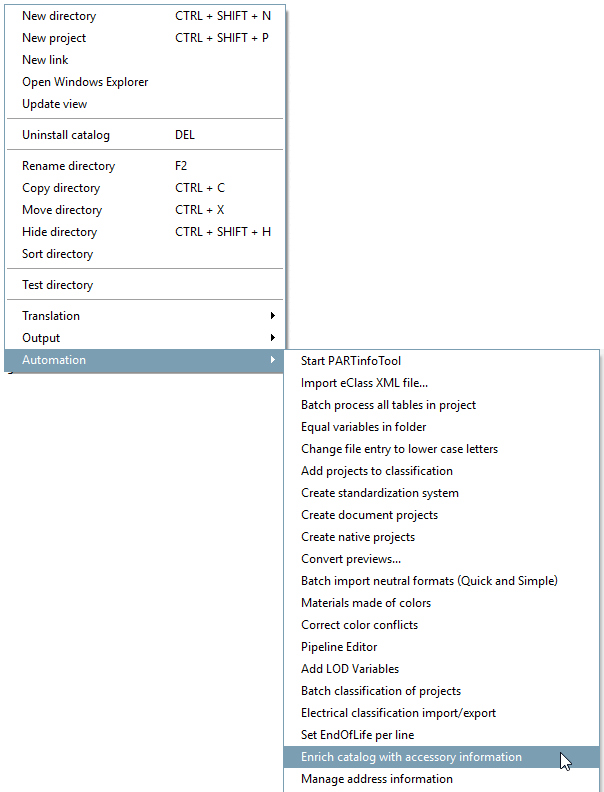
Select the desired directory in PARTproject the desired directory and click on the command Enrich catalog with accessory information [Enrich the catalog with accessory information].
-> The same-named dialog box is opened.
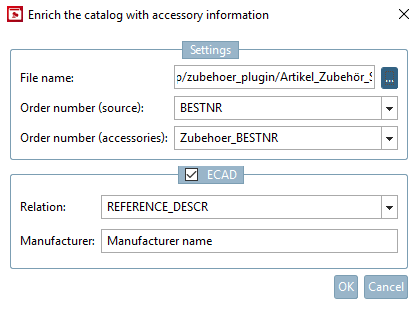
Under Settings -> File name, specify the CSV file that contains the mapping information and the corresponding columns in the list fields:
ECAD: If the option is activated, the classification data is also set for the accessory part (class CNSELEK|5|4 - see also Section 5.12.11.22, “Accessories (Associated Part [CNSELEK|5|4]) ”).
Relationship [Relation]: The corresponding column from the CSV file is entered in the CNSELEK|5|4 class in the feature 000054001 (Part relation to the main device ).
Manufacturer: The corresponding column from the CSV file is entered in class CNSELEK|5|4 in feature 00005A001 (Manufacturer name ).
Following entries are automatically set:
Order number of accessory part:
Class CNSELEK|5|4, feature 000059001(Manufacturer product number )
Class CNSELEK|5|4, characteristic 00004C001 (Parent class instance )
Class CNSELEK|5|4, characteristic CNS_ACCESSORYID (Accessory ID )
Class CNSELEK|5|4, characteristic 00004B001 (Parent class Type ) with value "CNSELEK"
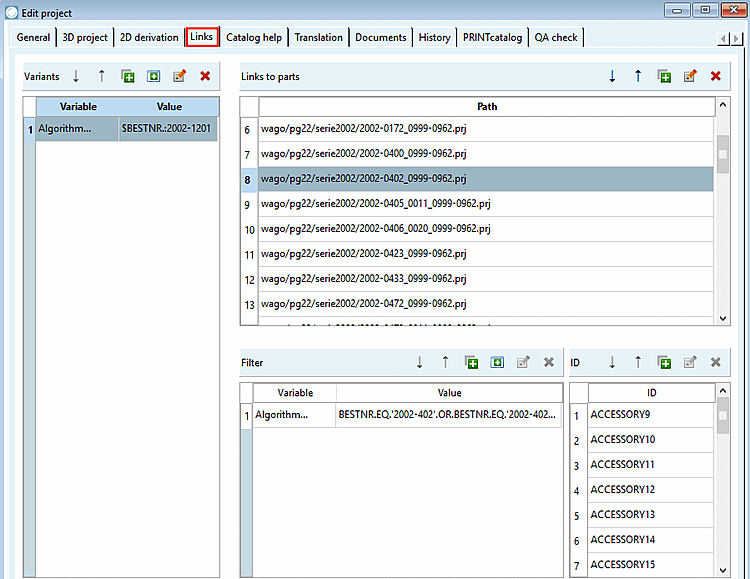
-> The corresponding entries are set on the Links tab page.
(The process works in the same way for link projects as internally always the original path is used.)
All entries are made under Edit project on the References [Links] tab page.
The accessories found for a project are entered in the Links to parts dialog area.
If accessories do not apply to the entire project, but only to certain lines, this is automatically recognized by the plugin and the corresponding entry is automatically set in the Variants dialog area.
If not all lines in the accessory part apply, this is also detected by the plugin and the corresponding entry is automatically set in the Filter dialog area.
As soon as a link to the accessory part is not generally valid, but is dependent on mounting points (CNS_CP|4|6 ), the corresponding ACCESSORY<ID> is listed in the ID dialog area.
ACCESSORY1
ACCESSORY2
ACCESSORY3
etc.
(The classification of the accessory part ( CNSELEK|5|4 ) is linked to the classification of the mounting point (CNS_CP|4|6 ) by the characteristic CNS_ACCESSORY. See Accessories Section 5.12.11.22, “Accessories (Associated Part [CNSELEK|5|4]) ”) The ECAD option must be activated before the classification data can be entered.
Detailed information can be found under Section 5.9.10, “Tabbed page: Accessories ”.
Accessories are displayed in PARTdataManager in [Links] the docking window as soon as the Accessories option is selected in the list field.