7.11. Docking window "2D
derivation " - Create your own combination views (*.dw)
7.11.3. [Template]
with basic information |  |
| Prev | Next |
7.11. Docking window "2D
derivation " - Create your own combination views (*.dw)
7.11.3. [Template]
with basic information | |
| Prev | Next |
It contains the following attributes:
Name is the unique identifier for this sketch view. In other words, there may not exist another one by the same name.
Indicates the basic unit in which the sketch view is defined.
hide (set the attribute yourself if necessary)
With "hide=1" you can prevent the template from being displayed under PARTdataManager -> 2D derivation -> Combination views.
[Template]
name=datasheet
unitbase=mm
hide=0/1
You can also use cuts in 2D views.
To do this, declare the section plane, direction of the section (1/-1) and optionally a shift in the Template block.
[Template]
cutPlaneType=YZ
cutPlaneDirection=1
cutPlaneDistance=0.0
Under "order", enter the desired views to be displayed:
[ELEMENT_grid1]
type=grid
padding_x=10
padding_y=10
padding_unit=percent
columns=2
rows=1
order=back,left
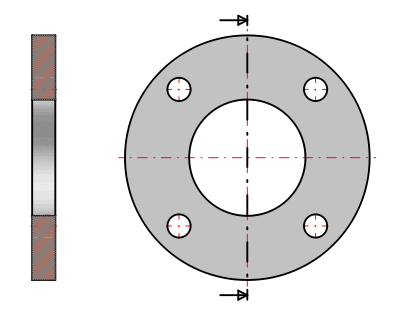
Example: On the left side the top view on the sectional plane, on the right side a side view on the sectional plane. In the side view a dotdashed line is displayed to mark the plane, arrows show the direction of view.
![[Note]](images/note.png)