7.9.3.2.
Default
7.9.3.2.2.
DXF import " dialog box (*.dxf file)
|  |
| Prev | Next |
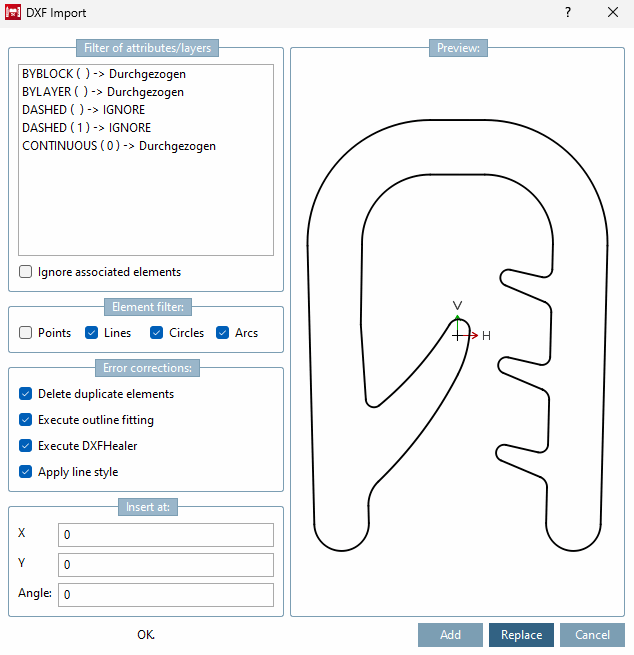
If you import a *.dxf file, the DXF import [DXF Import] window opens.
Filter [Filter of attributes/layers] for attributes/layer:
In this field, you will find a list of the layers of the import drawing and their assigned properties. Layers with the solid property are transferred to the PARTdesigner drawing. If you want to exclude layers/drawing elements from being transferred to PARTdesigner, select the relevant layer line and place a cross in the Ignore associated elements radio button (or several in sequence).
![[Note]](images/note.png) | Note |
|---|---|
In the PARTdesigner only those elements are taken into account/displayed that have the property " continuous" [Solid]. | |
Error corrections [Error corrections]:
Lines that cover each other are deleted before the sketch is imported.
Possible spaces between sketch elements are closed, since the sketch cannot be saved with interrupted contours in PARTdesigner.
Using Execute DXFHealer, you can activate the function directly during import.
For the
already imported sketch, use the button  in the toolbar.
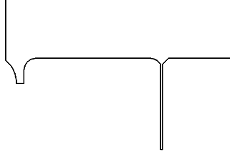
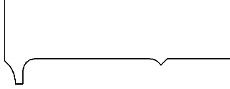
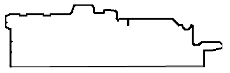
The following examples show the results of an error cleanup:
If changes have been made they will be announced in the message window. If nothing is announced, no changed have been made.
Es wurden 3 sehr kleine Elemente entfernt
The following message ares possible, among others:
| Note |
|---|---|
To customize results as desired, you can change the settings in the configuration file under | |
If 2 points have a smaller distance than pointEps, they are considered equal. The number of decimal places (in the example value below '3' [do not select values smaller than 0.001 for pointEps ]) is also determined by pointEps. However, there may be more decimal places for the center points of arcs.
pointEps=0.001
If the difference between 2 angles is less than angleEps degrees, they are considered equal
angleEps=1.0
If a polygon has more than
Corners that lie on a circle, it is approximated by a circle or an arc of a circleminVertexCountForArc
minVertexCountForArc=12
A polygon chain must have at least the length minLinesForArc in order to be approximated by a circular arc
minLinesForArc=4
An element is considered small, i.e. it is removed if it is smaller than smallAbs or smaller than smallRel in relation to the total size.
smallRel=0.0001
smallAbs=0.1
Maximum distance to original (absolute and relative)
maxDistToOrigRel=0.0001
maxDistToOrigAbs=0.1
ABS are absolute values, REL is relative to size of part. If more is to be removed, then select the values larger. small<x> and maxDistrToOrig<x> should have about the same dimensions.
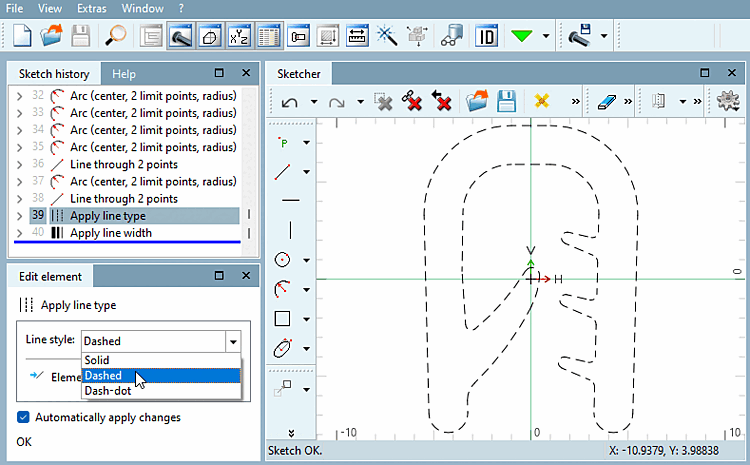
If the option is checked, the line style is also imported. You can then edit the parameters for the line style in the sketch history [Sketch history].
If you do not check this option, the line style will not appear in the sketch history [Sketch history] and you will not be able to edit it.