6.10.2.
Check ERP mapping
(Add ERP mapping... and Edit ERP mapping...)
6.10.2.3. User interface:
Reference of icons and functions in detail |  |
| Prev | Next |
6.10.2.
Check ERP mapping
(Add ERP mapping... and Edit ERP mapping...)
6.10.2.3. User interface:
Reference of icons and functions in detail | |
| Prev | Next |
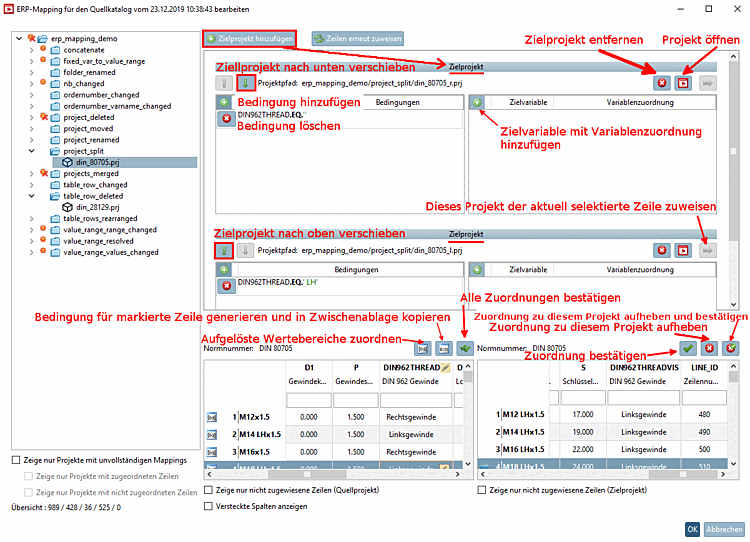
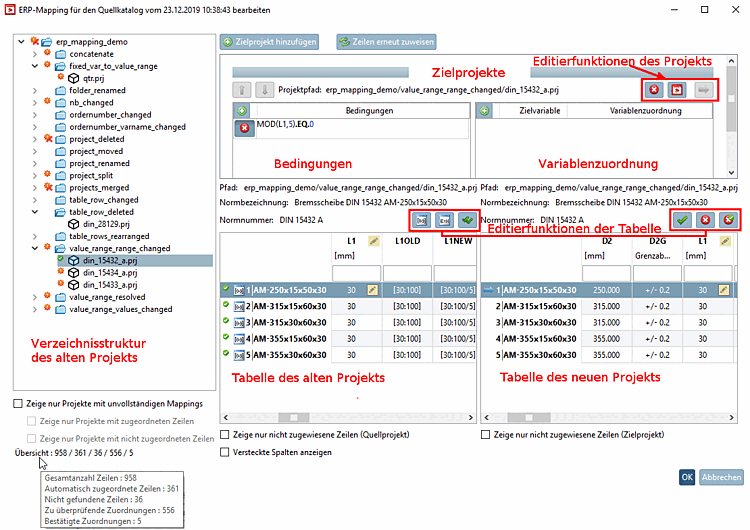
User interface of the Edit ERP mapping [Edit ERP mapping] dialog box
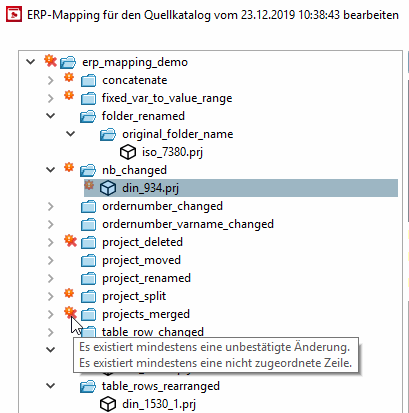
In the index tree you can see at a glance which projects have automatically been completely mapped (they do not show icons) and which projects have been automatically mapped, but still need to be verified (and possibly edited).
|
There are changes (otherwise there would be no display at all), however, such ones do not need to be confirmed.
In following cases there is no need for verification:
| |||||
|
Project/directory/catalog contains at least one line that could not be assigned. You may also be able to assign the correct line manually using | |||||

| Confirmed (regardless of whether assigned or deleted) | ||||

| There was an error when opening the table of source project. | ||||
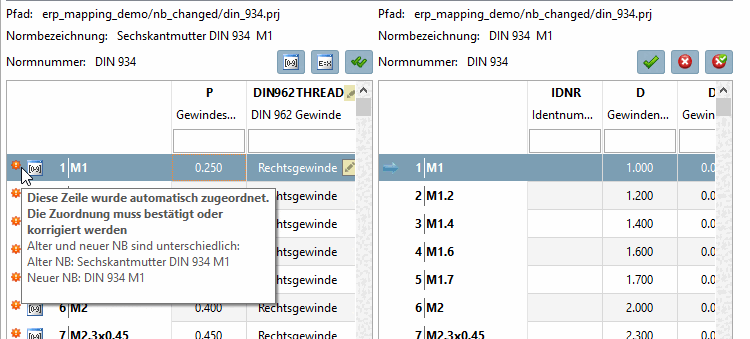
When moving the mouse over icons tooltips are displayed.
|
Although there are changes (otherwise there would be no display at all), these do not normally need to be confirmed
In following cases there is no need for verification:
| |||||
|
| This assignment has been confirmed by the modeler | ||||

| This line is expired. This was confirmed by the editor | ||||
When moving the mouse over the icons tooltips are displayed.
![[Note]](images/note.png)