7.9.6.  Sketch history context menus

7.9.6.1. Edit element / Change parameters
7.9.6.2. Rotation axis
7.9.6.3. Delete step
7.9.6.4. Mark dependent elements
7.9.6.5. Delete step include dependent elements
7.9.6.6. Set mark
7.9.6.7. Custom comment
7.9.6.8. Add radii

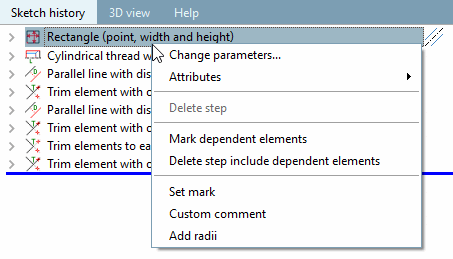
Sketch history context menu

Sketch history context menu

The context menus can be called up both via the individual features in the 3D history [3D History] and via the drawing elements.

The scope of the context menus depends on the respective feature.

The individual menu points are explained below.

[Note]Note

Subordinated features do not contain any other, but just less menu points.

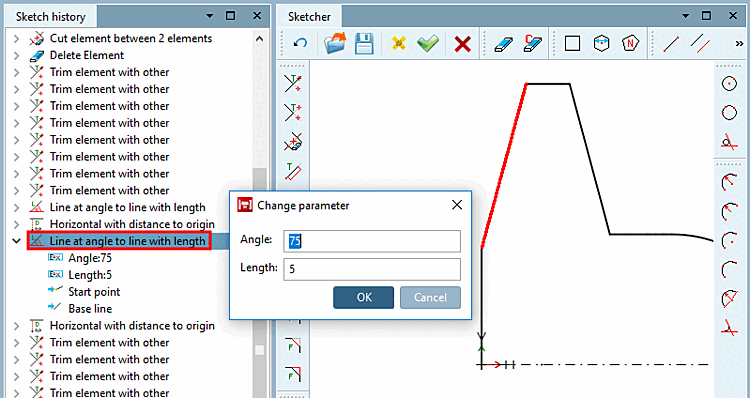
Change parameters: Launch context menu via construction step or sketch element

Change parameters: Launch context menu via construction step or sketch element

The context menu of a main feature basically contains the following points: