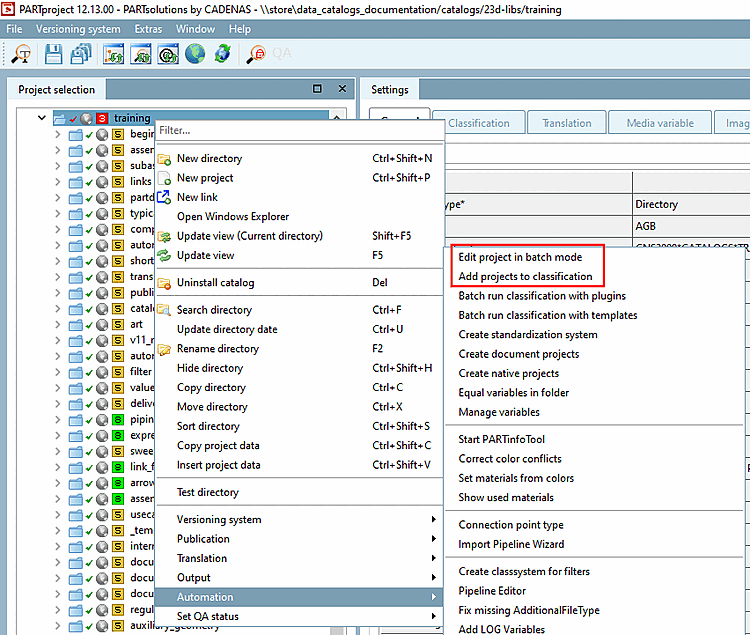
5.12.4.  Add projects to classification (context menu)

5.12.4.1. Assignment of classes and features
5.12.4.1.1. Assignment of classes and characteristics at project level
5.12.4.1.1.1. Assign class
5.12.4.1.1.2. Assign characteristics
5.12.4.1.2. Assignment of classification classes and features at directory level
5.12.4.1.2.1. Manual input
5.12.4.1.2.2. Automatic take-over
5.12.4.1.2.3. Use classification from project
5.12.4.2. Index update
5.12.4.3. Classifying own parts
5.12.4.3.1. Transferring values from the Measurement dialog box
5.12.4.4. Classify connection points
[Note]Note

The Add projects to classification function described here and the Classify projects in batch run [Batch classification of projects] function have certain application overlaps.

  • Add projects to classification:

    • Full overview on ALL classes and attributes

    • Characteristics can reference a variable [Variable] or a value [Value] or contain a reference [Reference] to another class.

    • Transfer of information from other classifications or parameters.

  • Classify projects [Batch classification of projects] in the batch run:

    • Display of the most important classes and attributes

    • Detection and display of not yet assigned projects

    • Display of potentially available variables with respective number of hits of projects

    • Setting and deleting of assignments

Use the adequate automatism for the respective purpose.

Projects can be classified in PARTproject under Settings -> Classification tab, projects can be classified on the basis of various classifications.

Installed classifications are displayed on their own tabbed page:

[Note]Note

Although the up-to-dateness of the classifications is ensured immediately before the release date, it is still possible that newer versions are already available at the time of installation. It is therefore advisable to check and, if necessary, update via PARTadmin -> Catalog update -> Online.

At the desired classifications, activate the checkbox.

At the desired classifications, activate the checkbox.

You always install the standard and manufacturer catalogs under PARTadmin -> Catalog update -> Online.

Details can be found under Section 1.4.3.1, “ Catalog update Online ” in ENTERPRISE 3Dfindit (Professional) - Administration.