5.12.7.
Add projects to classification (context menu command)
5.12.7.2. Automatic transfer
|  |
| Prev | Next |
5.12.7.
Add projects to classification (context menu command)
5.12.7.2. Automatic transfer
| |
| Prev | Next |
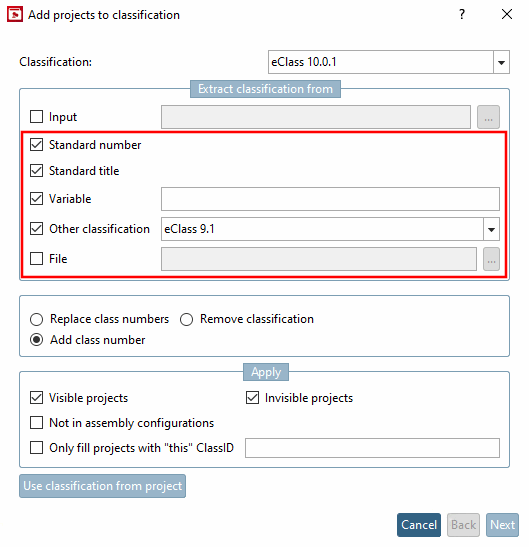
A classification may already have been carried out and the classification numbermay already have been entered elsewhere. Using the following options, this can be extracted at the appropriate point and used for the assignment.
The following options can also be combined:
Enter the corresponding variable in the table containing the number.
If, for example, a classification has already been made according to ECLASS 4.0, this information can be mapped to ECLASS 5.1.
| ||||
The classification can also be set using the File option.
|
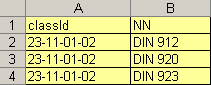
The file must contain two attributes: ClassId and NN (norm number). Any number of ClassId can be set for each standard number. |
|
Activate the checkbox and use Browse to set the path to the file.
![[Note]](images/note.png) | Note |
|---|---|
The automatisms can also be used to fill your own classification. Example: Transferring the order number from a table column to create your own classification. For more information on creating your own classification, see Section 5.12.4, “ Create / edit class system (classification) ”. | |