5.12.3.7. Classification
(By Categories) - (By Countries) - (By Functionality) 5.12.3.7.1. Preconditions |  |
| Prev | Next |
5.12.3.7. Classification
(By Categories) - (By Countries) - (By Functionality) 5.12.3.7.1. Preconditions | |
| Prev | Next |
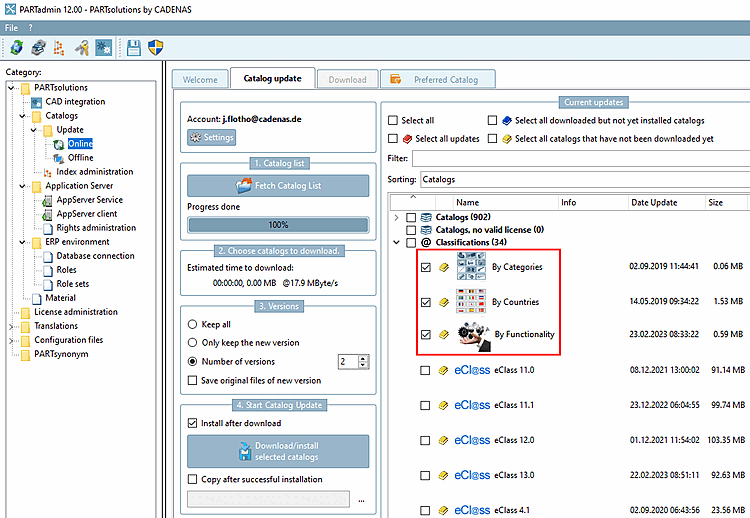
The following class systems have to be installed:
The installation takes place in PARTadmin under Section 1.4.3.1, “ Catalog update Online ” in ENTERPRISE 3Dfindit (Professional) - Administration.
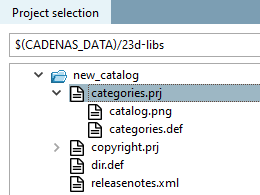
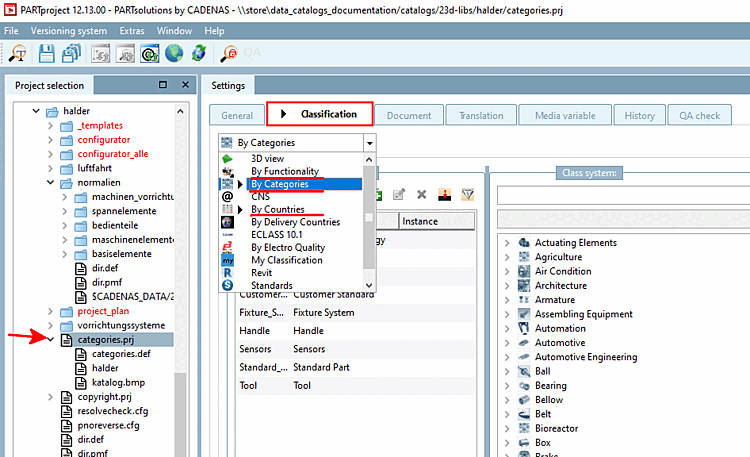
The file categories.prj must be created in the main catalog folder.
![[Note]](images/note.png) | Note |
|---|---|
Please do not copy the file This file is used when classifying at catalog level (By Categories and By Countries ). | |
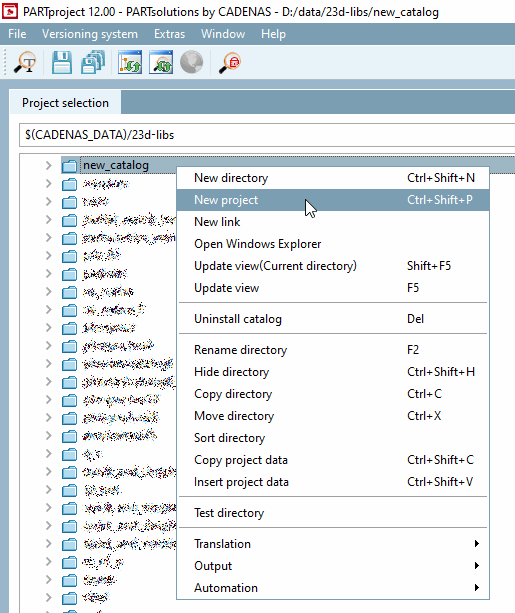
Call up the context menu command New project in the catalog root directory.
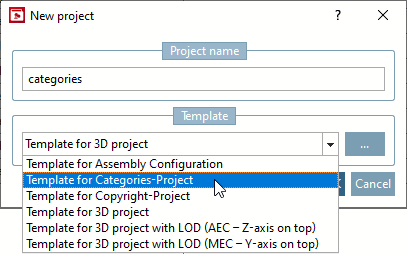
-> The same named dialog box is opened.
Select Template for Categories project and confirm with .[46]
-> The project is automatically created with the needed files (translation file and png file for company logo).
If the requirements are met, the By Categories, By Countries and By Functionality tabs are displayed in PARTproject after selecting the file categories.prj or a project file and the Classification tab below it, the By Categories, By Countries and By Functionality tabs are displayed.