5.5.2.
3D Shape Search
5.5.2.5.
Advanced search for geometric features
|  |
| Prev | Next |
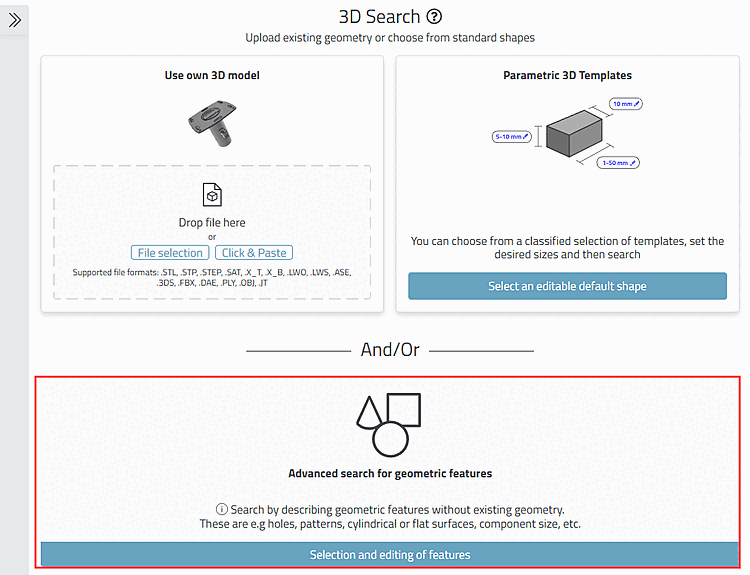
Search by describing geometric features without existing geometry.
These are e.g holes, patterns, cylindrical or flat surfaces, component size, etc.
In order to open the dialog area, either click on the double arrow on the left or into the respective area below.
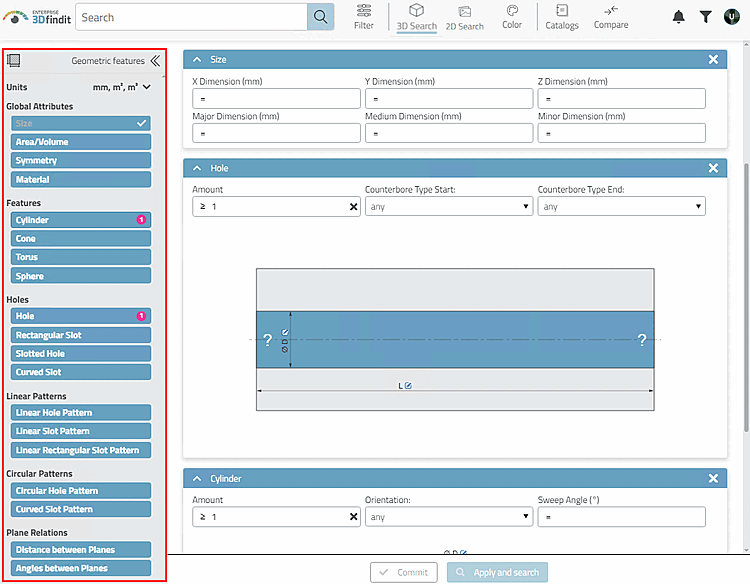
-> The Geometric features dialog area opens.
Select the desired feature in the Geometric features dialog area.
For example, when selecting Size, click in the Largest dimension [Major Dimension] input field.
End the entry with Enter or by clicking on the button.
-> Press Enter again to start the search. You can do the same by clicking on Apply and search.
Optionally, you can make further entries for the selected characteristic.
Optionally, you can also make entries for other characteristics.
Start the search by clicking on the Apply and search button.
Details on the individual attributes can be found under Section 2.1.6.4.11.3, “ Topology search - Settings in detail ” in PARTsolutions - User.