6.2.3.
Toolbar 6.2.3.4.
Additional functions
|  |
| Prev | Next |
Measuring grid
 : See above.
 Catch everything [Zoom all] /
 Zoom on object [Zoom in on object]
Zoom to object [Zoom in on object] refers to the current selection.
Snap all [Zoom all] refers to everything, including dimensions. There is no difference for a selected single part without displayed dimensions.
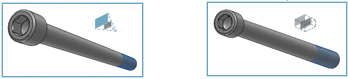
Section [Cut]
 : Click on the axis you want for the
Move the section.
: Click on the axis you want for the
Move the section.
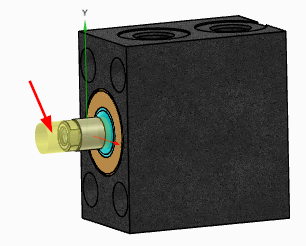
Exploded view
 (only for assemblies)
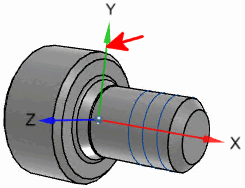
Show Origin Axles [Show Origin Axes]
 :
:
Toggle projection mode [Switch projection mode]
 : Perspective
  on /
on /  off
off
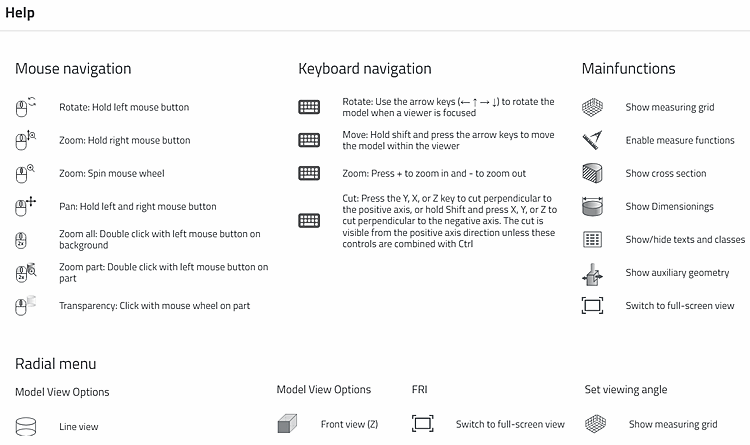
Help
 : Here you will find brief explanations of
Mouse controls, keyboard shortcuts, and main and
Auxiliary functions.
: Here you will find brief explanations of
Mouse controls, keyboard shortcuts, and main and
Auxiliary functions.
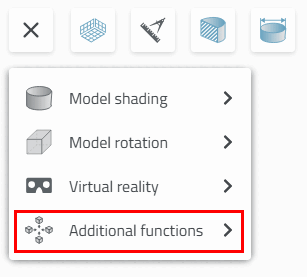
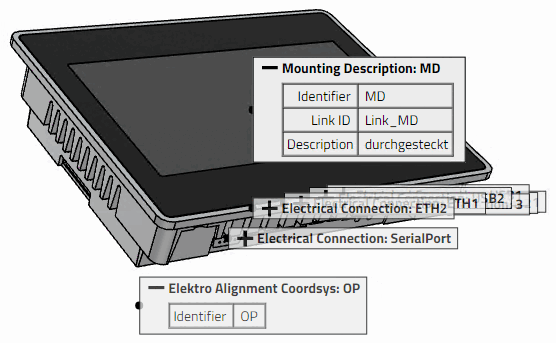
![Snap all [Zoom all]: Assembly with selected individual part with dimensions](resources/img/img_6b201eaa356d4335aeaf59232b024364.png)
![Zoom to object [Zoom in on object]: Assembly with selected individual part with dimensions](resources/img/img_a4c2a03744294805a1f8776f8f5e77bb.png)
![Catch all [Zoom all]: Selected individual part with dimensions](resources/img/img_03923db10e7a4b94a4b35127ba842494.png)
![Zoom to object [Zoom in on object]: Selected individual part with dimensions](resources/img/img_c0227dcd6a124167a727199caec194f2.png)
![Section [Cut] with measuring grid [Measuring grid]](resources/img/img_e4e9aeaf2dab42c1901b5b5ecad1a52e.png)

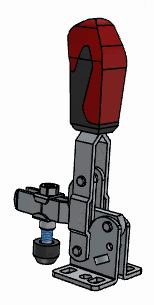
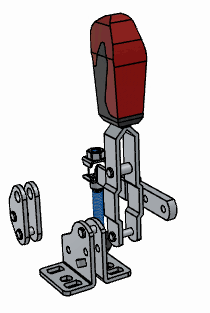

![[Tip]](images/tip.png)