5.5.1.  Text search

5.5.1.1. Search with a single term
5.5.1.2. singular - plural
5.5.1.3. Several terms
5.5.1.4. Search with a combination of terms and variable values
5.5.1.5. Search only with variable values
5.5.1.6. Exact search {}
5.5.1.7. Strict search!
5.5.1.8. Phrase search "" (specific order of terms)
5.5.1.9. Placeholder search *
5.5.1.10. Leading zeros in part numbers
5.5.1.11. Search for negative values
5.5.1.12. Number search for area
5.5.1.13. Number search with units (explicit and implicit)
5.5.1.14. Logical operators
5.5.1.15. Mixture of AND and OR - bracket replacement
5.5.1.16. Search options for ERP integration

Enter a search term (text and/or number) or a combination of several terms and then click on the icon.

You can also enter terms one after the other to further refine your search.

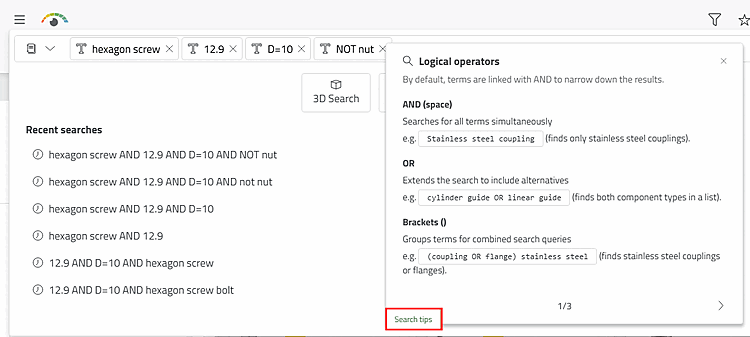
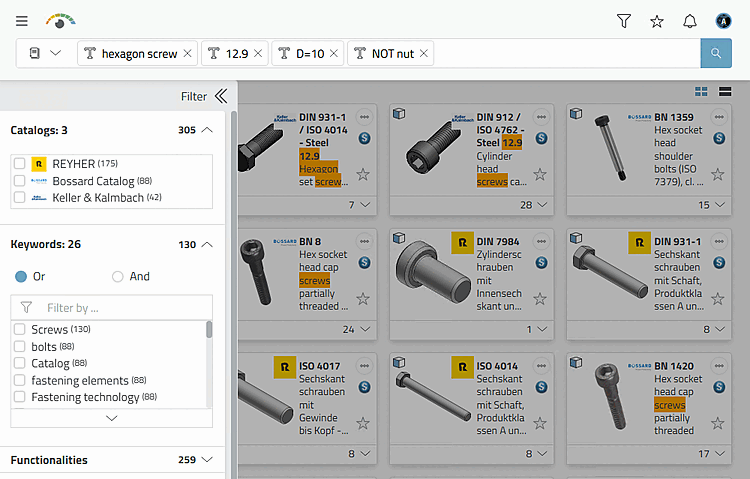
Example: First "hexagon screw", then "12.9" (strength), then "D=10" (length), optionally "NOT nut" to improve the results

Example: First "hexagon screw", then "12.9" (strength), then "D=10" (length), optionally "NOT nut" to improve the results

In the Filter dialog area, you can see the number of catalogs in which hits were found and the total number of hits to the right. By activating the checkboxes, the search is immediately carried out again. In the example above, for example, you can further restrict the search to a catalog manufacturer.
[Tip]Tip

Click on the Search tips button to get tips for the full text search.