1.3.7.
Classification Wizard
1.3.7.2. Preconditions
/ setting options |  |
| Prev | Next |
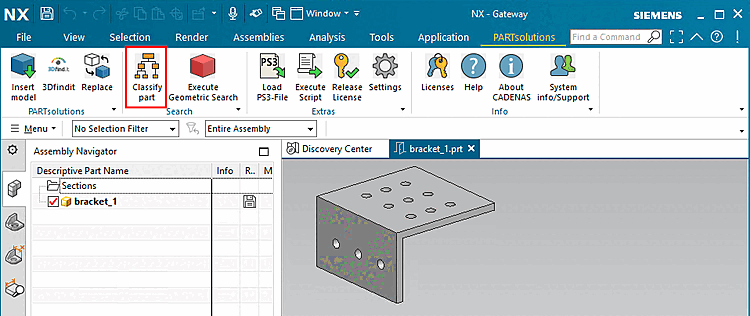
The function
 part
in [Classify part] the CAD toolbar or in the
3Dfindit CAD menu.
part
in [Classify part] the CAD toolbar or in the
3Dfindit CAD menu.
For this purpose, the CAD-specific
Configuration file if<cadname>.cfg, in the block
[ UI], in the key MN_valid anywhere in the
value "classify".
MN_valid=insert3d,cadconnector,seamless,richclient,replace3d,history,openproject,loadpsx,
geosearch,partialsearch,classify,execlivesearch,togglelivesearch,documentscan,eventmgr,
settings,licenseshow,support,help,about,repeat,execscript,licenserelease,topsearch,
nativecheckin,info
The corresponding license for the Classification Wizard must be available, otherwise an error message will appear.
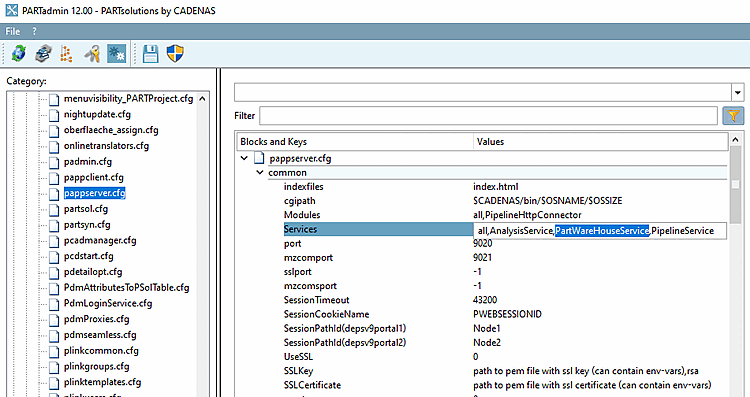
The PARTwareHouse service must be entered in the configuration file pappserver.cfg, in the block common under Services with the value PartWareHouseService.
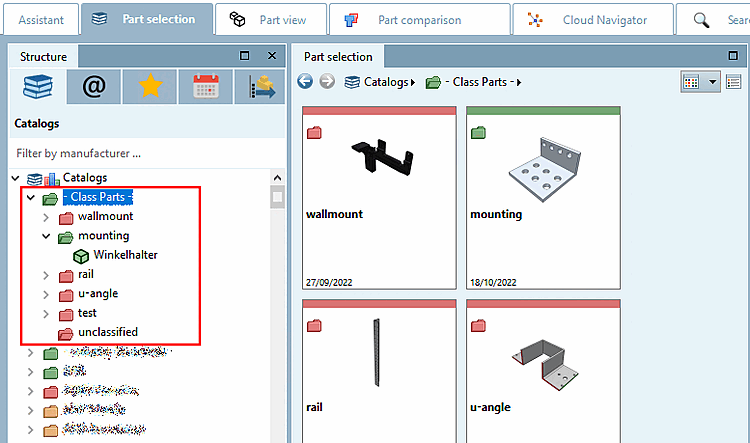
A catalog with existing class structure has to be available.
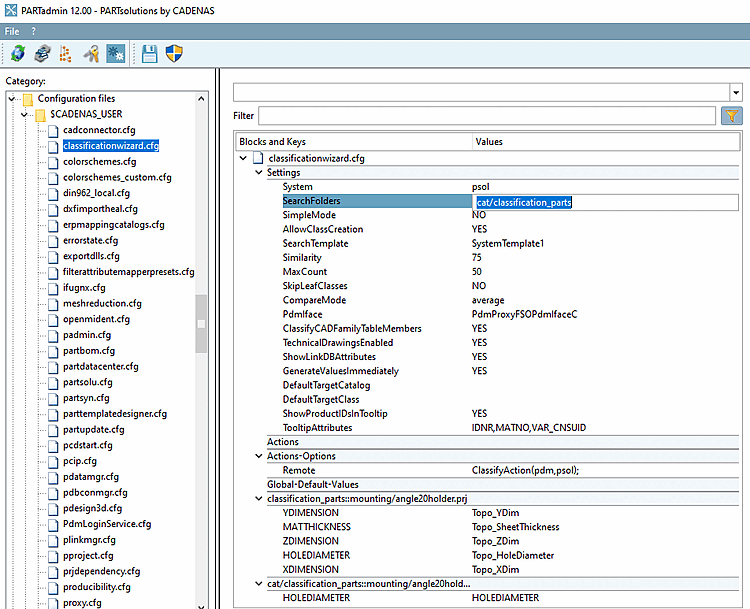
Enter the catalog under $CADENAS_USER\classificationwizard.cfg-> Block Settings -> Key SearchFolders.
cat/catalogname
To ensure that the CAD system is not terminated after each classification process, set the key to 0 under $CADENAS_SETUP/pdmProxies.cfgblock PdmProxyTranslator, set the key BatchMode to 0 (default is 1).
Depending on the installation type, the PARTapplicationServer may have to be started as a service (not applicable for local use via OfflineCD).