1.3.
Structure/classify products
1.3.5. Category "Products " |  |
| Prev | Next |
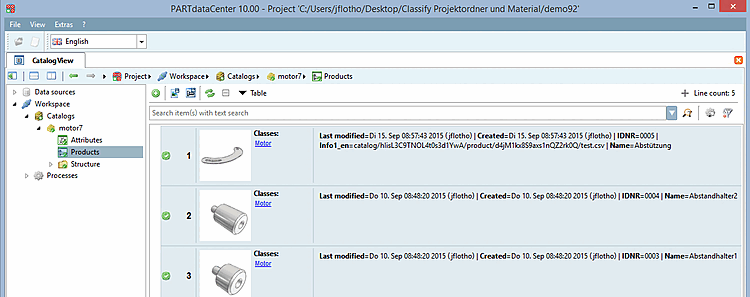
After selecting the Products category on the left, the individual products are listed on the right.
![[Note]](images/note.png) | Note |
|---|---|
If the Products view is empty, you must either add products (see Section 1.3.5.2, “ Add Product ”) or the List view type has been selected and you must explicitly define attributes for the view (see ???). | |
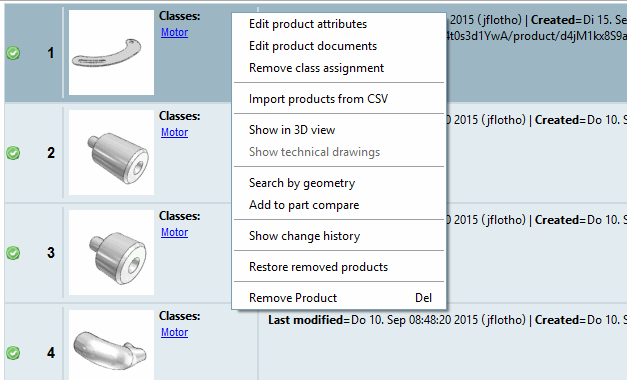
The following list provides an overview of the individual functions on the Products dialog page. You may find links to detailed information there.
 Create Preview BMP from Geometry data
Mostly not needed, because preview images are automatically created when adding geometries.
 Show attributes (only displayed in the list views)
Calls up the Select and edit attributes dialog box, where you can add attributes to the list views and change the order of the attributes. See ???.
The import corresponds to the process described under Import catalog -> Import CSV [Import from CSV]. See Section 1.3.3.1, “Import catalog via CSV”.