1.5.11.2. Additional
information 1.5.11.2.5. Troubleshooting |  |
| Prev | Next |
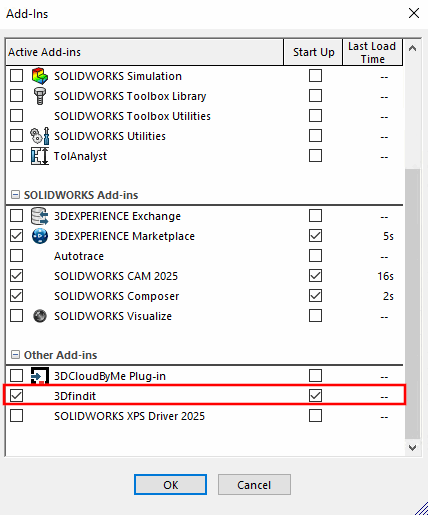
If you do not find an interface in SolidWorks after installing 3Dfindit, please check whether a corresponding entry for the interface exists under Extras -> Additional applications and is activated (tick).
Also see Section 1.3, “Function test of the 3Dfindit interface - activation / deactivation ”.