1.5.10.2. Additional
information 1.5.10.2.3. Physical properties from 3Dfindit
|  |
| Prev | Next |
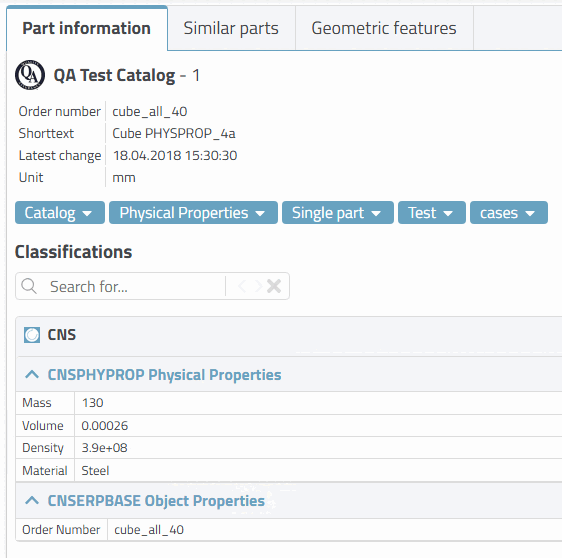
If the physical properties are set in the CNS classification on the 3Dfindit side, these are also transferred to the CAD system during export.
In 3Dfindit, the attributes of the CNS classification are displayed in the part information [Part information] docking window.
The following section explains how Solid Edge behaves in different scenarios:
If a material was transferred from 3Dfindit, then this is always created (the density results from this).
If an exact density was also transferred from 3Dfindit, then the exact density is set[7] without losing the rest of the physical properties given by the material.
If no exact density was transferred from 3Dfindit, but an exact mass was transferred from 3Dfindit, then the density is calculated (the volume is given by the model itself | density = mass / volume).
If no material, no mass and no density have been transferred from 3Dfindit, then the density cannot be created.
Direct setting of the volume is not possible, because the volume is defined by the geometric model.
Furthermore direct setting of the mass is not possible. The mass is indirectly set via density by calculation (Density = Mass / Volume).
If both the exact mass and the exact density have been transferred from 3Dfindit, then the exact density is set.
[7] In other words, if an exact density from 3Dfindit was explicitly transferred, then this is used and not the density assigned via the material.