1.5.5.2. Additional
information 1.5.5.2.3. Physical properties from 3Dfindit
|  |
| Prev | Next |
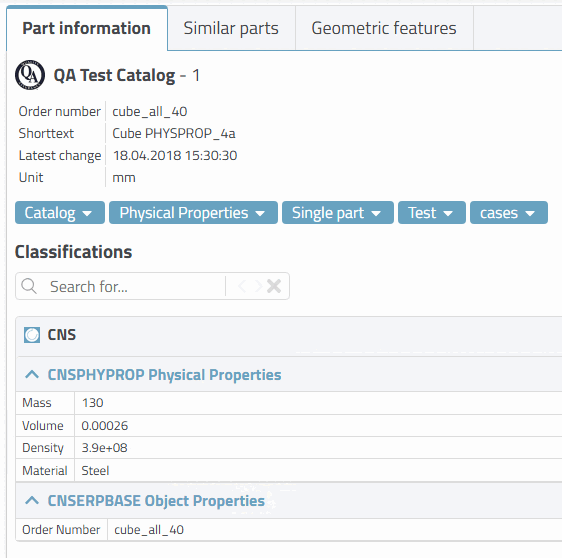
If the physical properties are set in the CNS classification on the 3Dfindit side, these are also transferred to the CAD system during export.
In 3Dfindit, the attributes of the CNS classification are displayed in the part information [Part information] docking window.
The following matrix shows how Creo behaves in different scenarios:
| Attributes from 3Dfindit | Calculated by interface | Calculated by CAD | ||||||
| Mass | Volume | Density | Mass | Volume | Density | Mass | Volume | Density |
| X | X | Default | ||||||
| X | X | Default | ||||||
| X | X | X | ||||||
| X | X | X | ||||||
| X | X | X | ||||||
| X | X | X | ||||||
| X | X | X | ||||||
If mass, volume and density are transferred from 3Dfindit, these values are transferred directly to the CAD system.
If one of these three values is missing, then the interface calculates the missing.
If only density is given, then Creo calculates mass and volume on the basis of the geometric model.
If only mass or only volume is given, then Creo uses a default value for the density and calculates the missing third value.
If the density can be determined using the material transferred from 3Dfindit (material mapping), this is used and the missing third value is calculated by Creo.