2.1.7.6.2.
Determine level of detail
2.1.7.6.2.1.
Level of detail - selection |  |
| Prev | Next |
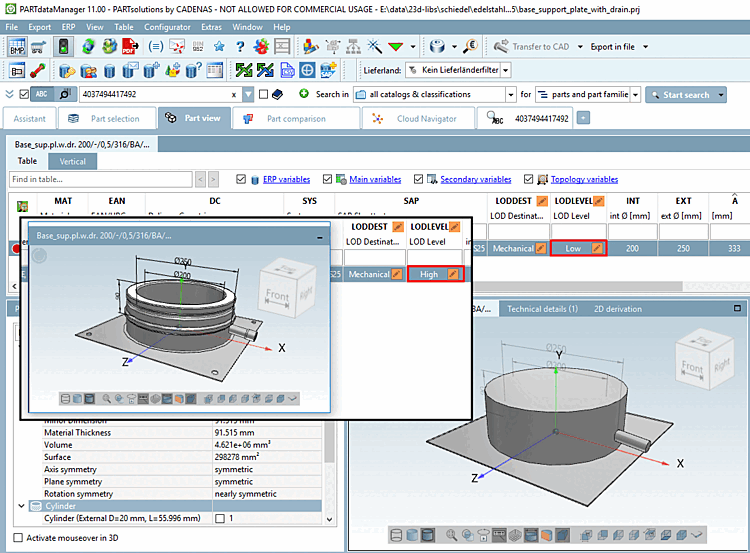
Depending on the catalog, it is possible to display and export the selected model in various levels of detail in the 3D view.[86]
The level of detail is selected in the table using the LODDEST and LODLEVEL value range fields:
LODDEST: Selection of the primary target market mechanical engineering or architecture
LODLEVEL: Depending on selection under LODDEST, then the respective level of details are displayed (high, medium, low or 400, 350, 300 - architecture LODs don't have to be mandatorily 400, 350, 300; they may vary depending on catalog or customer requirements). More information on the levels of detail can be found under Section 2.1.7.6.2.2, “ Level of detail - Various schemes”.