Insert
BIMcataglos.net Plugin in Allplan
The application
has been automatically registered in the BIMcatalogs.net
Setup.
Start
Allplan.
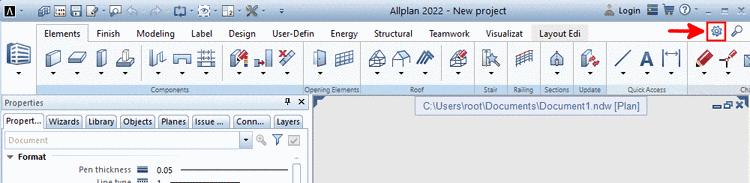
Open the
Actionbar Configurator.
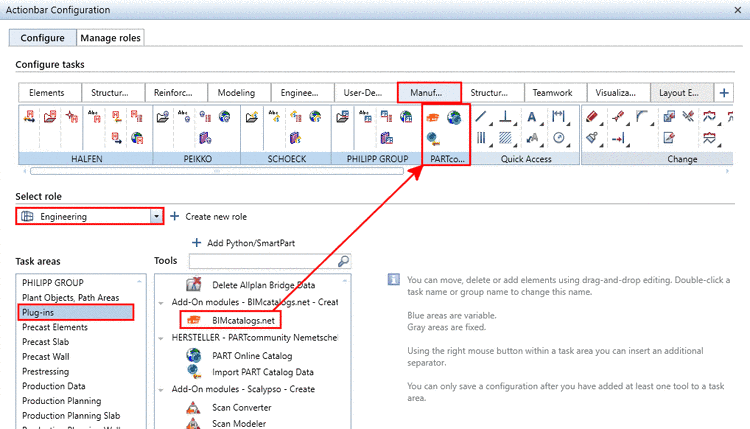
Select the
desired role.
Select the
desired tab for the button.
Under
Task
areas, select "Plug-ins".
Drag the
button at the desired position via drag 'n' drop.
Save the
configuration.
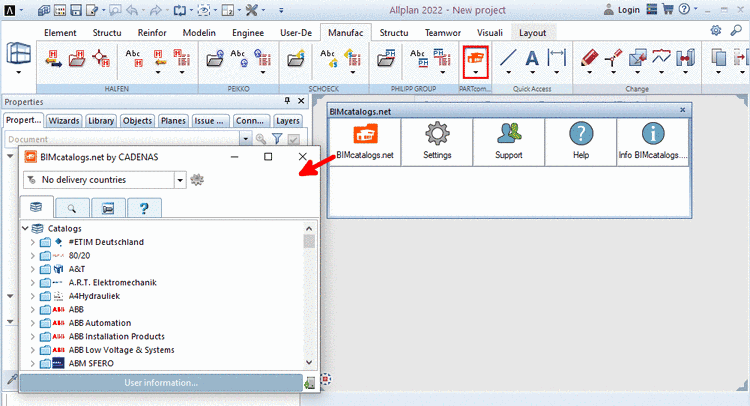
In Allplan, the
following features will be available in the toolbar:
BIMcatalogs.net
Settings
Support
Help
Info
BIMcatalogs.net
All features are
described in detail here.