2.1.6.7.
Search results
2.1.6.7.2. Show/hide columns
|  |
| Prev | Next |
For the modes  Details and
  Table modes, you can set the visibility of columns.
|
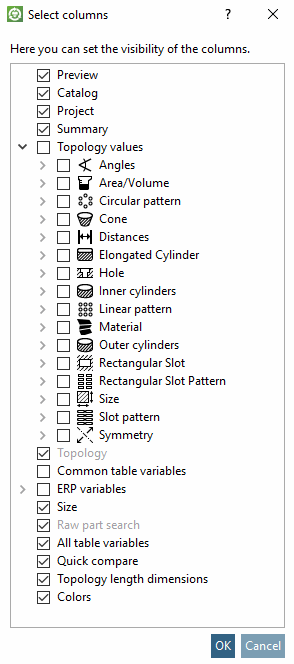
To do this, right-click on one of the column headers. In the Select columns dialog box that appears, you can activate and deactivate the desired columns. |
|
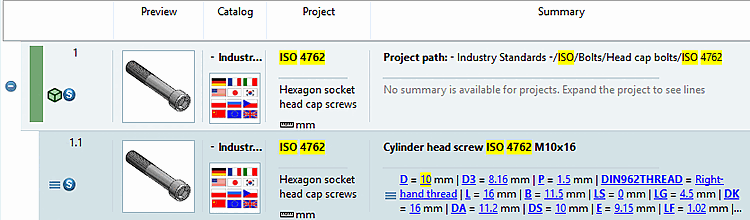
Preview | Catalog | Project | Summary: The first 3 columns are self-explanatory. All table variables with values are displayed in the Summary column.
In the search result, for example, you want to see how many holes parts have because you may not be able to see this in the preview or you want to see the longest extension [Largest dimension], average extension [Middle dimension] and shortest extension [Shortest dimension] by default.
If you use the Topology values option, these are not only displayed for the topology search, but also for all other searches. Expand the tree to see all categories and activate the checkbox for the desired ones. See Fig. „Set order and visibility of columns“.
Example: Use of the topological features longest extension [Largest dimension], average extension [Middle dimension] and shortest extension [Shortest dimension]
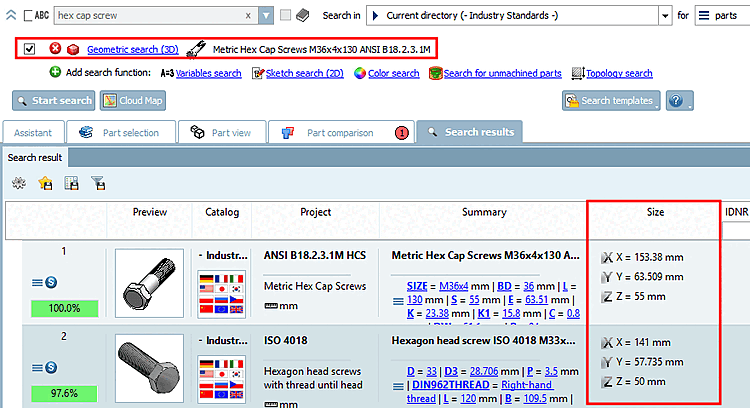
Here, for example, the options Expansion in x-direction [Dimension in direction of x-axis], Expansion in y-direction [Dimension in direction of y-axis] and Expansion in z-direction [Dimension in direction of z-axis] have been activated under Topology values -> Size.
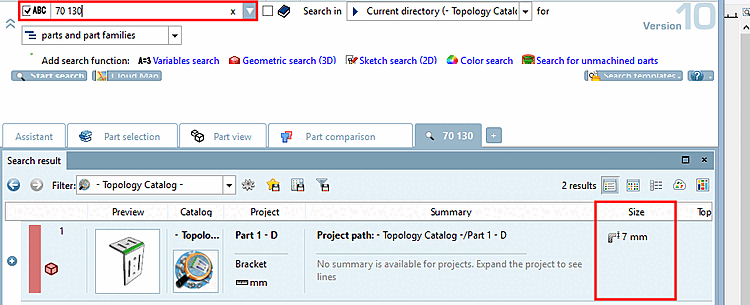
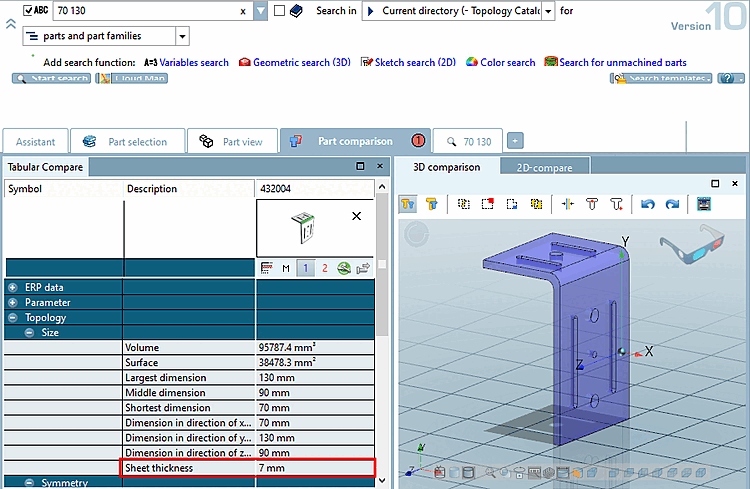
Example: Use of the topological characteristic material thickness [Material Thickness]
If you now carry out a search, the material thickness is also displayed in the Size column.
You can also see the topological characteristic material thickness [Material Thickness] in the component comparison [Part comparison].
When activated, the Topology option is only relevant for a topology search [Topology search].
If the option is enabled, then for all searched topological values, the respective columns are displayed.
The Size column with the expansion values in the direction of the X, Y and Z axes is automatically displayed during a topology search [Topology search].
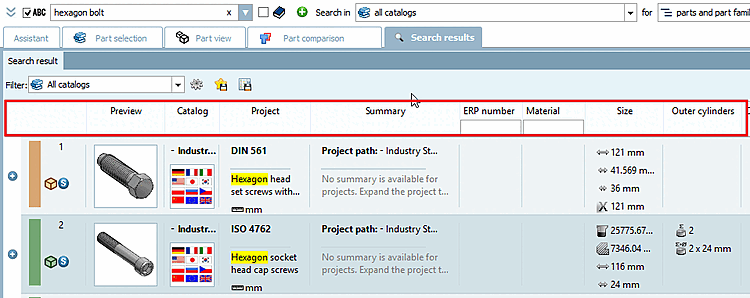
In this example, a topology search [Topology search] was carried out with "Boreholes >=10". The number of boreholes is displayed in the corresponding column.
If the option is activated (deactivated by default), only the columns that contain values for all results are displayed. It may therefore be necessary to restrict the directory to be searched in order to obtain values.
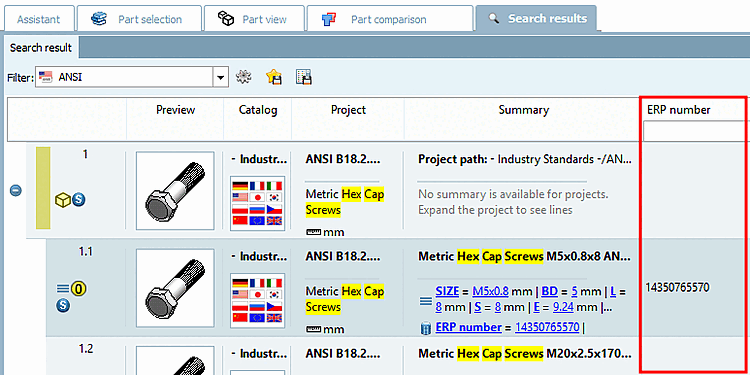
Although all ERP variables and values are displayed in the Summary column, it may be more convenient to display special values such as the ERP number in a separate column.
The Size option activates the Size column, but only for Geometric search (3D).
Unmachined part search [Search for unmachined parts]: The column is only visible for an unmachined part search.
Compare Section 2.1.6.4.9.1, “ Unmachined part search: The most important information at a glance”.
The table variables are displayed in the Details and Table modes.
On (default): Table variables are displayed for all variables,
All variables get their own column. (When scrolling down you might get more and more columns.) This can lead to very wide tables (when searching through many catalogs or tables have very different columns). For example, may be "D" or "D1" is used for the nominal thread diameter.
Off: No table variables are displayed
In Table mode, for example, you can still see the Name [Designation] column and in Details mode, for example, the Summary column. Exactly which columns are displayed depends on the other settings.
Quick comparison [Quick compare]: In the Quick comparison [Quick compare] column, you can see the proportion between the search part and the result part.
Topology length dimensions: The column is only visible in a full text search [Full-text search]. The option refers to topological length measures that are searched in the course of a full-text search [Full-text search]. See Section 2.1.6.4.3.3, “What is searched? ” -> Topological length measures.
Colors: The column is only visible in a color search [Color Search].
See Section 2.1.6.4.8.1, “ Color search: The most important things at a glance”.
![Here, for example, the options Expansion in x-direction [Dimension in direction of x-axis], Expansion in y-direction [Dimension in direction of y-axis] and Expansion in z-direction [Dimension in direction of z-axis] have been activated under Topology values -> Size.](resources/img/img_c52696a614e14d5b944b3fce6395aeff.png)
![In this example, a topology search [Topology search] was carried out with "Boreholes >=10". The number of boreholes is displayed in the corresponding column.](resources/img/img_0f36252129734f88a88bca102dea2191.png)