Application > Modules
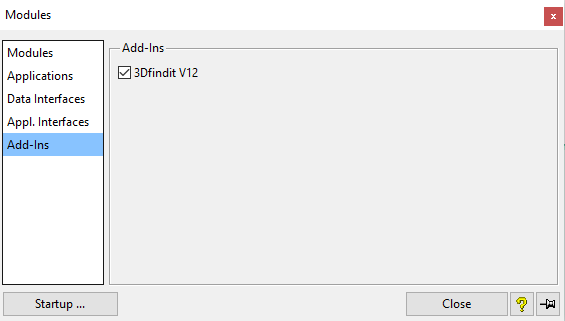
Open the Modules dialog box and select Add-Ins. (Add-Ins is only displayed if the interface has been activated).
Check the 3Dfindit V12 box.
Click Close if you want to activate once
or
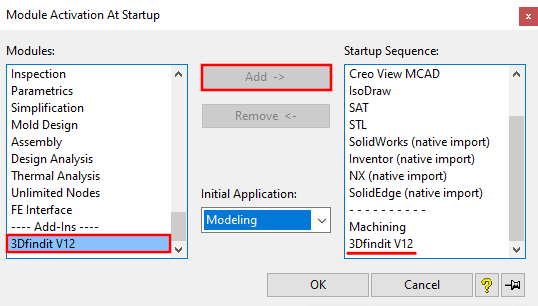
click Start... if you want to make the activation permanent.
Add 3Dfindit V12 to the start sequence.
The STL module must be in the start sequence. This is necessary for adding parts to the custom library [User library].
ModelManager / SAP must be in the start sequence before 3Dfindit V12!

![[Note]](images/note.png)