2.1.11. PARTdataManager
– ERP/PDM extensions
2.1.11.1.
ERP toolbar |  |
| Prev | Next |
The most important feature in the PARTdataManager for the activated ERP integration is the link database [Link database] toolbar (or the ERP menu with generally identical functions).
![[Note]](images/note.png) | Note |
|---|---|
The visibility of some buttons depends on the activation status of a key in For some functions, the buttons are available for both PARTdataManager as well as 3Dfindit Enterprise. For other functions, the operation may differ slightly with identical functionality. | |
In the following the single buttons are explained:
PARTdataManager: Authenticate/change user [Authenticate/switch users]
PARTdataManager select group [Select group]: As a defined user, you can select different views of the data records
Send selection to PARTlinkManager [Send selection to Link Manager] / Cancel selection
By double-clicking on a line in the PARTlinkManager, the view changes to PARTdataManager.
In the PARTdataManager you can now select any line. By clicking on  this line is linked to a new ERP number previously created in PARTlinkManager. The view switches back to PARTlinkManager. By clicking on
  you can cancel the selection process.
The two symbols are only active if a call has been made from PARTlinkManager, otherwise they are grayed out.
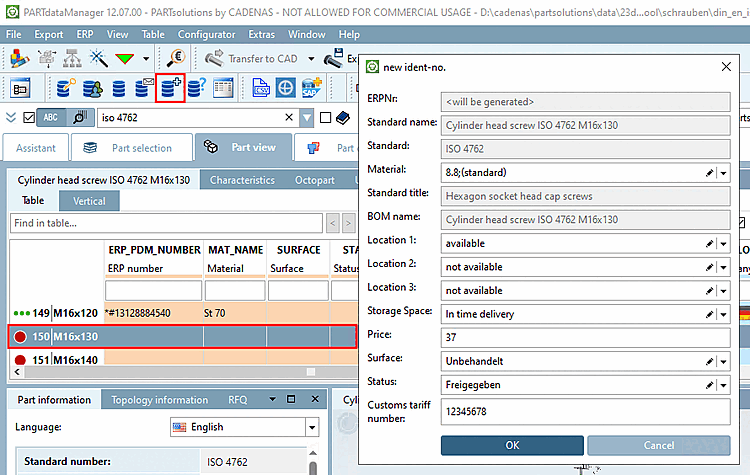
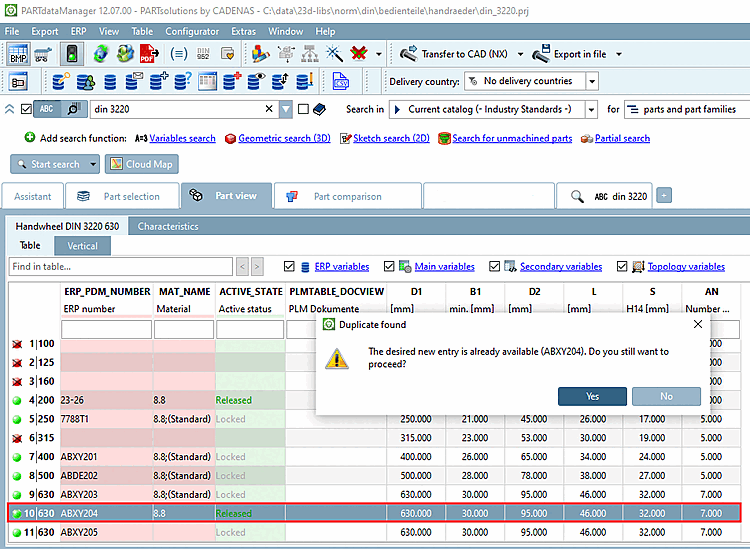
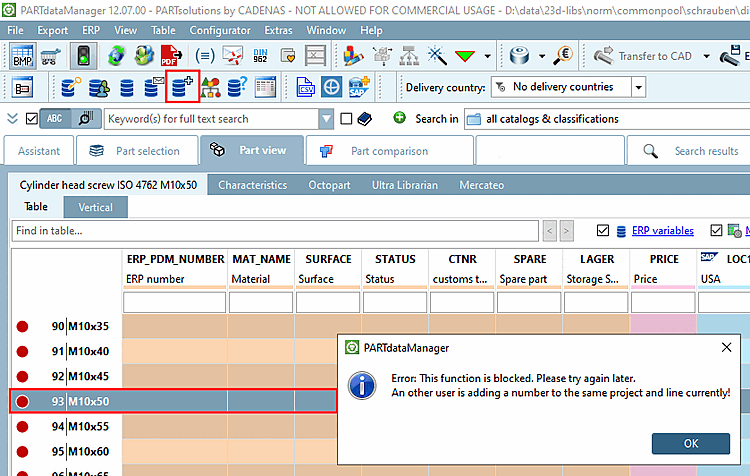
 Add record to the [Add dataset to link database] link database or
  Add to [Add to link database] link database
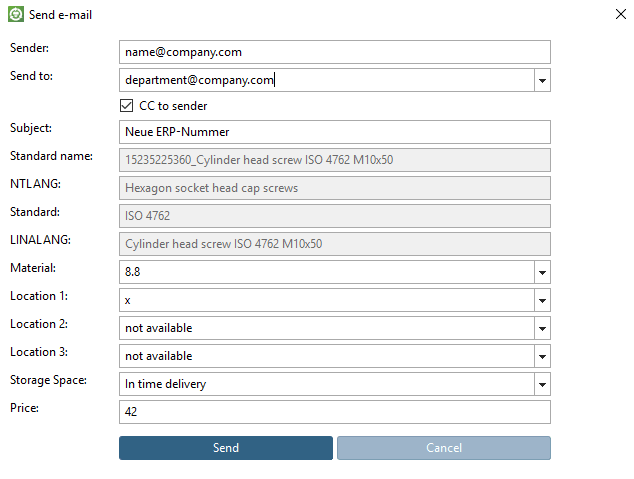
...calls up the New Ident Number [new ident-no.] window.
| ||||
[a] Administrative information on this can be found in the Section 5.12, “ Design "New ident number " dialog box - erpcustom.cfg -> Block [USERDIALOG] ” in ENTERPRISE 3Dfindit (Professional) - Administration. | ||||
Add dataset to link database (variant)
Choose a data set, which is the very next to the variable to be changed.
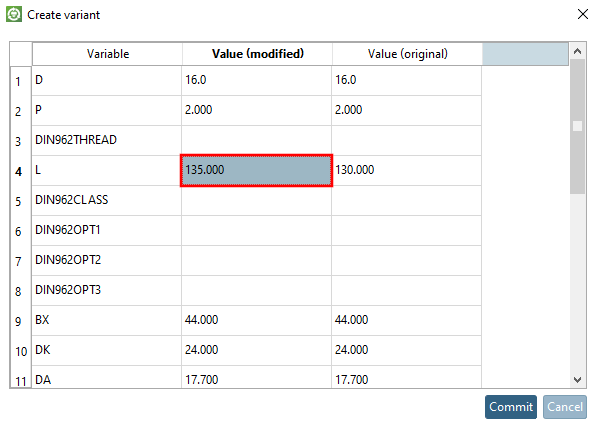
After clicking the button, the Create variant window opens.
All variables of the component are listed.
In this example L has been set from value 130 to 135.
The New ident number [new ident-no.] dialog then appears as for Add record to link database [Add dataset to link database] (see above).
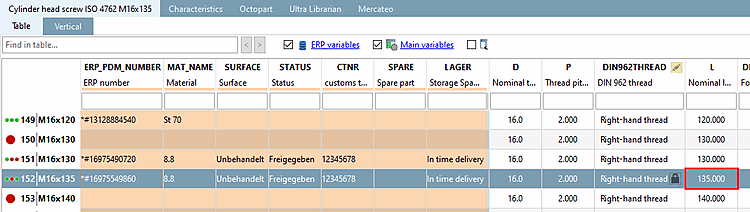
As a result, the created variant is also displayed in the PARTdataManager is displayed.
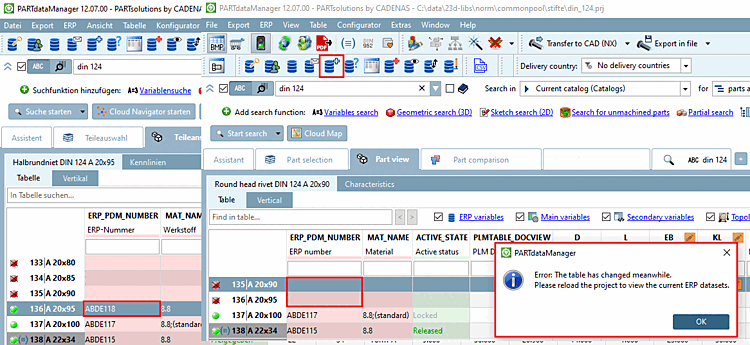
When variants are created, possibly these are not sorted correctly in PARTdataManager (see fig. above). However you can determine the scheme of sorting for the currently opened project in a special dialog. So a manual editing of the PRJTABLE is not necessary. On this see under Section 2.1.11.12, “Line sorting in PARTdataManager ”.
Set sort order for this project:
On this see under Section 2.1.11.12, “Line sorting in PARTdataManager ”.
Edit/delete data [Edit/delete dataset] record:
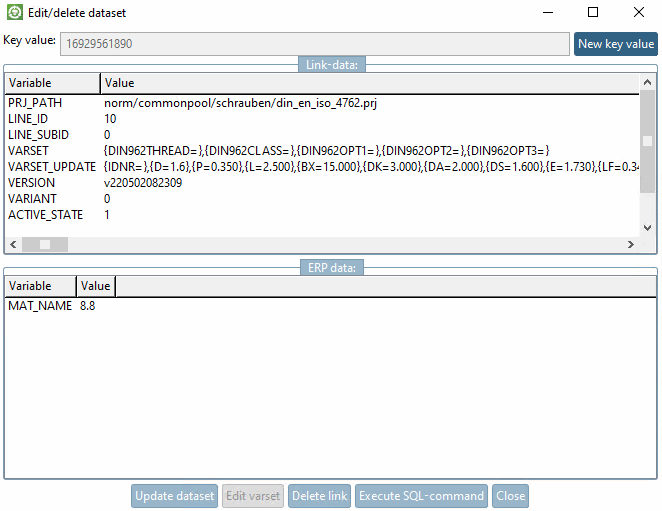
After clicking on the button, the dialog box Edit/delete data record [Edit/delete dataset] appears.
The data view is divided into link data [Link-data] and ERP data.
Click on the value to be changed, change it accordingly and press the button.
Deletes the data of the LINKTABLE.
Afterwards follows an inquiry whether or nor the data of the ERPTABLE should be kept. Confirm/deny the inquiry accordingly.
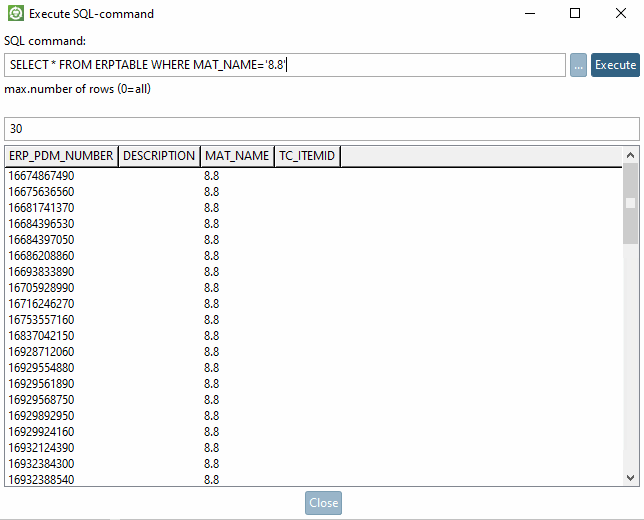
Opens the window of the same name.
In the input field, enter a SQL command.
SELECT * FROM ERPTABLE WHERE MAT_NAME='8.8'
Define the maximum number of rows in the result.
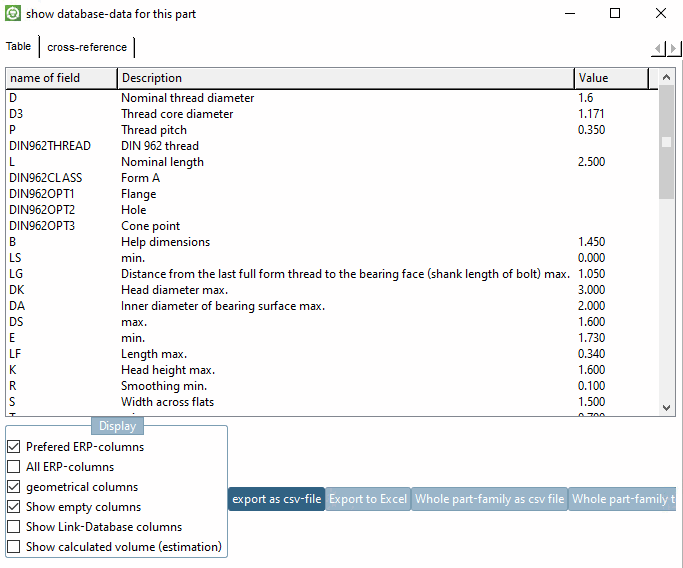
Show database data for this part [show database-data for this part] :
The window shows geometric data as well as ERP data.
Preferred rows On/Off [Preferred rows on/off] :
This function controls both the display of catalogs, directories and projects in the index tree and the display of characteristics in the table.
The search results are also filtered when the button is activated. These must also comply with the preferred series condition when the button is activated.
After activating the Preferred rows On/Off [Preferred rows on/off] button, a) only "green" rows [Preferred rows on/off] are displayed[102] Catalogs, directories and projects are displayed and b) only rows that have an entry in a defined column (this is often the column for the article number). In other words, only green rows are displayed in the table. The red rows are hidden.[103]
Information on defining the condition can be found under Section 5.7.5.1.2, “ Preferred series - plinkgroups.cfg -> Block [Role_name] -> Key "PREFRANGE" ” in ENTERPRISE 3Dfindit (Professional) - Administration