3.2. Cross-CAD information
3.2.7. Set file name
("FileName" key) and pool path ("poolpath" key)
|  |
| Prev | Next |
3.2. Cross-CAD information
3.2.7. Set file name
("FileName" key) and pool path ("poolpath" key)
| |
| Prev | Next |
Due to the meaning of file name and pool path settings these two keys have their own dedicated section.
![[Note]](images/note.png) | Note |
|---|---|
You can use the two keys PoolPath and FileName to set the structure of the pool (flat or with subdirectories) and the formation of the file name. | |
| Note |
|---|---|
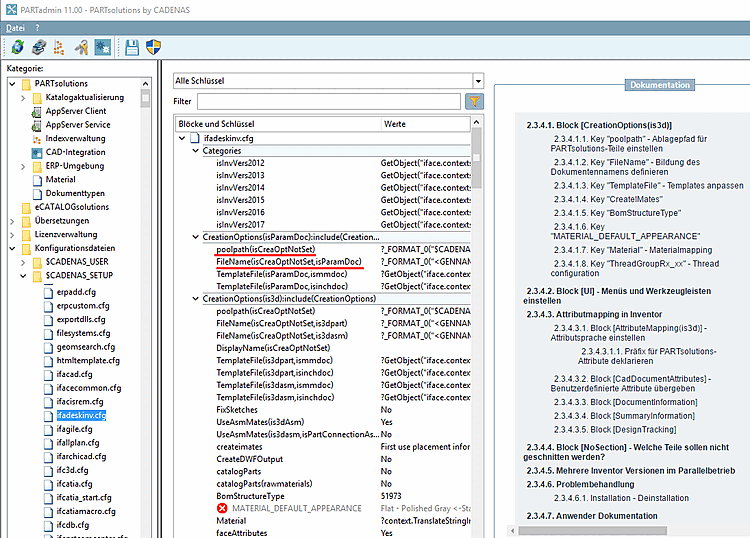
Use the appropriate configuration file for your CAD system. You can find this under PARTadmin > category [Category] Configuration files > $CADENAS_SETUP > if<cad name >.cfg.
| |
| Note |
|---|---|
For a better understanding of the examples please absolutely read Section 3.2.1.3, “Variable values - functions ”. Basic concepts are explained under Section 3.2, “Cross-CAD information ”. Thereof you can deduce how to adjust the examples according to your needs. | |
![[Important]](images/important.png)