5.17.3.2. Catalog update
(Tutorial) - Example 2 5.17.3.2.5.
PARTlinkManager
|  |
| Prev | Next |
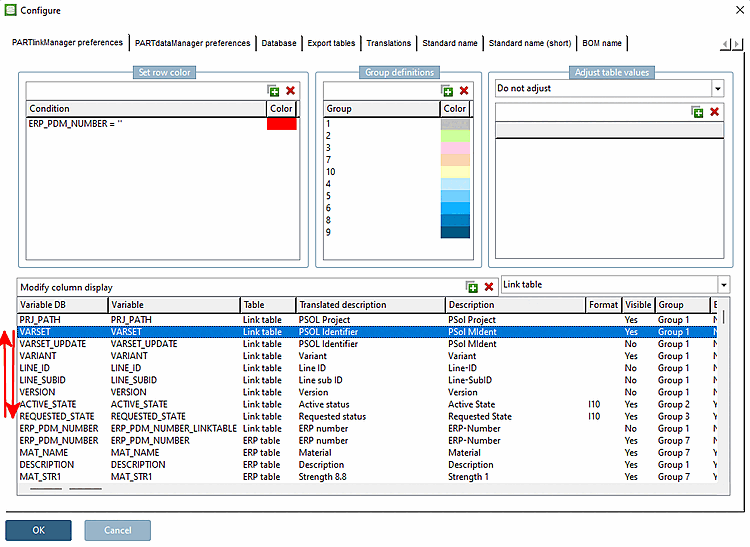
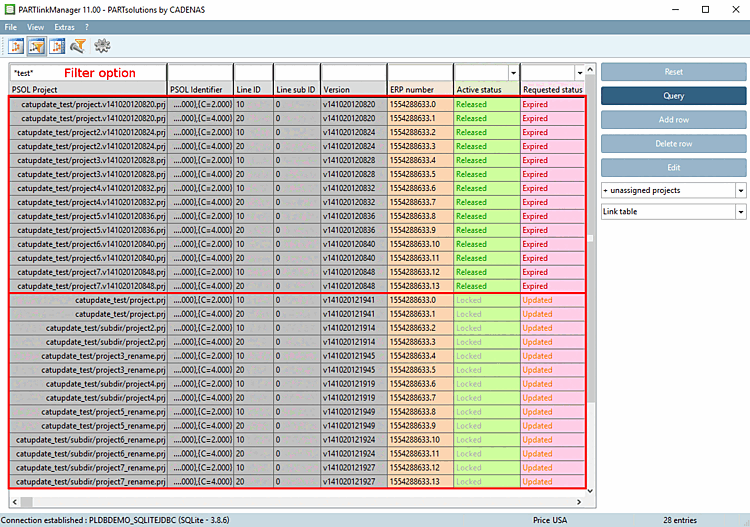
After the update installation, you will find further helpful information in the PARTlinkManager using the values from the ACTIVE_STATE and REQUESTED_STATE columns.
Via columns "ACTIVE_STATE" and "REQUESTED_STATE" you get notes at which projects an automatic mapping was possible.
The data records of the old version are identified in the PSOL Project column by the version number in the project name. The current version does not have a version number in its name.
Current status [Active status] column:
"Released [Released] " is still displayed for old projects before they are processed by the Update Manager.
"Locked [Locked] " is still displayed for the current projects before they are processed by the Update Manager.
Expired " is displayed for the old projects.
"Renewed [Updated] " is still displayed for the current projects before they are processed by the Update Manager.
Background information on the workflow of the values in the Active State and Requested State columns.
These value changes are generally applied, independent of the project changes in particular.
The value change is immediately visible in the Update Manager [Update manager], in the PARTlinkManager and also in the PARTdataManager.
![[Note]](images/note.png)

![[Tip]](images/tip.png)