5.24.2. Installation
5.24.2.1. General |  |
| Prev | Next |
CADENAS_POOL default for clean install is PRODUCT_DATA\POOL.
| ||||
[a] #146789 | ||||
Installation notes: Details on the ENTERPRISE 3Dfindit installation can be found under Section 4.5, “ENTERPRISE 3Dfindit Installation ” in Installation Installation.
Version update within V12: Simply execute the MSI-Setup of the update version.
The server already has to be set up and running.
Server, client and even CAD version have to be the same.[87]
Not only the CAD interface has to be fully installed on the server, but the CAD itself, too.
An existing V11 installation and an installation with the V12 ENTERPRISE 3Dfindit Consulting Installer access the same environment variables and paths. In order to avoid mutual influence, best uninstall an existing V11 installation first.
If parallel operation is intended - nevertheless, please absolutely regard the notes under Section 5.24.7, “Parallel use of V11 and V12”.
Installation cadenas_threads.cip
Please install the current cadenas_threads.cip.
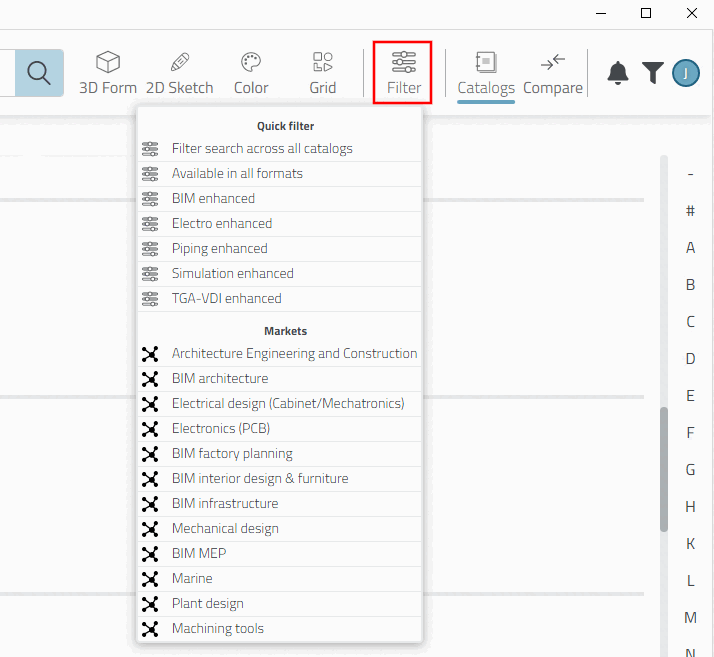
Under the Filter function different Markets are defined. Otherwise they will not be visible. Furthermore other Quick filters are available.
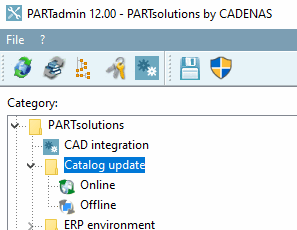
Always when a new cadenas_threads.cip file is available, it will be offered during a Catalog update
Online. Otherwise the cadenas_threads.cip file can be explicitly installed via Catalog update
Offline (accessible under \\store\cip_v9\catalogs\_CNS\Threads)
![[Important]](images/important.png)
![[Note]](images/note.png)