5.27.8.2.7.
Edit project table
5.27.8.2.7.2. Explicitly
specify sorting order of variants for PARTdataManager table
|  |
| Prev | Next |
5.27.8.2.7.
Edit project table
5.27.8.2.7.2. Explicitly
specify sorting order of variants for PARTdataManager table
| |
| Prev | Next |
If the PARTdataManager
for example, using Add data record to link database (variant) [Add dataset to link database (variant)]
 Variants are added to the table, correct sorting is not always guaranteed.
You can determine the schema for the sorting, for the currently opened project in an own dialog. A manual editing of the PRJTABLE table is then obsolete.
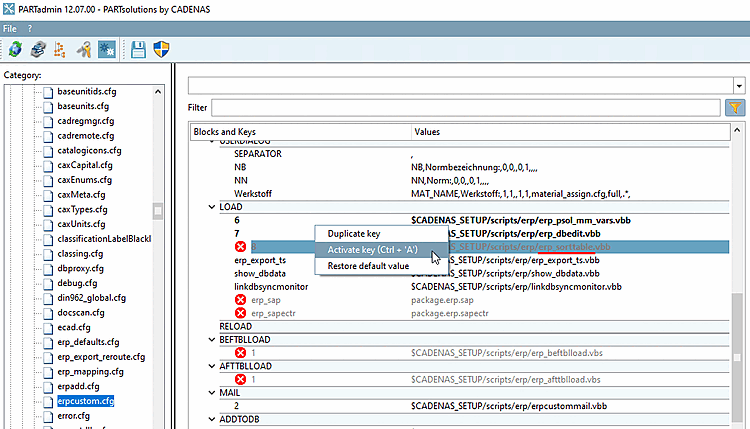
To do this, activate the key in the configuration file under $CADENAS_SETUP/erpcustom.cfgin the ADDTODB_VARS block, activate the key with the value $CADENAS_SETUP/scripts/erp/erp_sorttable.vbbif the key is not available, please enter it yourself.
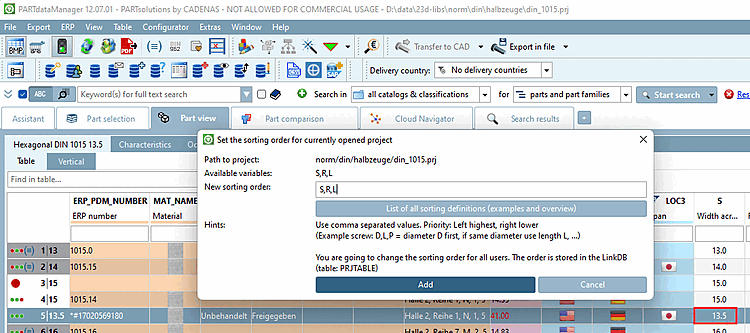
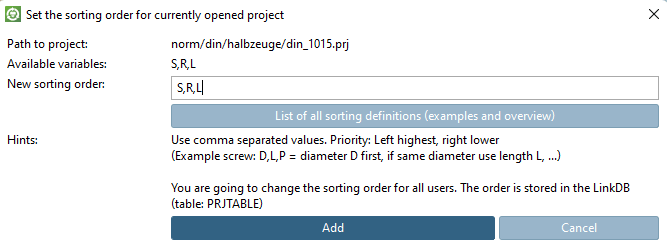
Call up the function using the Set sort order for currently open project [Set the sorting order for currently opened project] button button.
Under New sorting [New sorting order], enter the variables to be used for sorting, separated by commas.
-> The line is immediately re-sorted in PARTdataManager immediately re-sorted.