1.3.16. Tabbed page "Logging settings"
1.3.16.1. Global logging system
|  |
| Prev | Next |
The global Logging System is available for all applications, libraries and scripts.
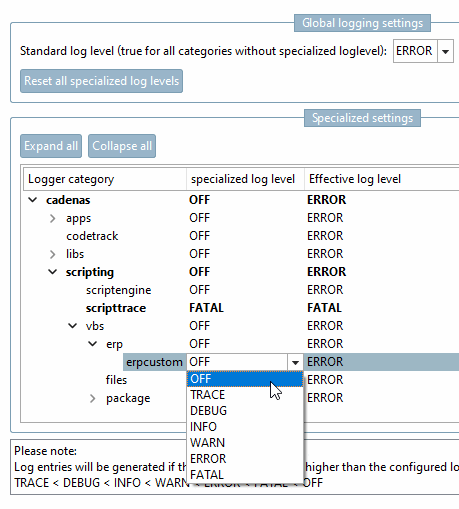
The Logging settings [Log settings] dialog is part of the Settings dialog page, which you can open from PARTdataManager, PARTadmin and eCATALOG 3Dfindit modules via Extras menu → Settings [Preferences]. Here you can set the log level.
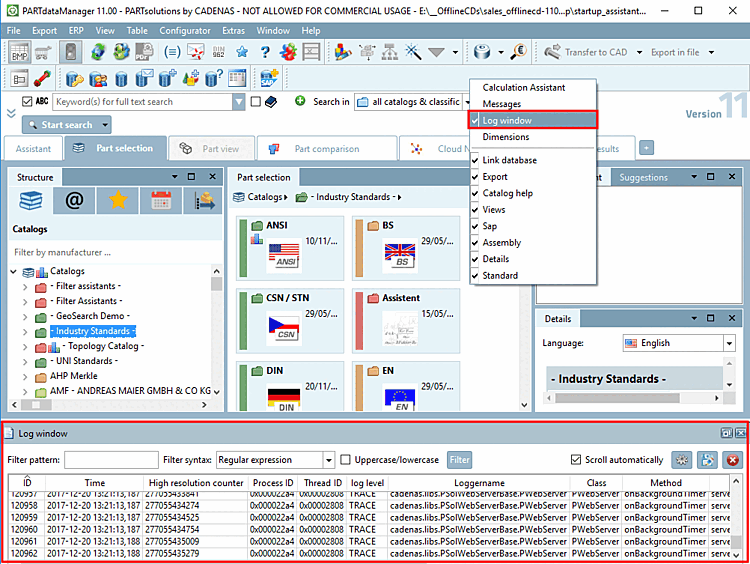
The logging data is output in the log window [Log window] of the respective module.
You can optionally make the log window [Log window] visible via the context menu of the toolbars (default = off).
The
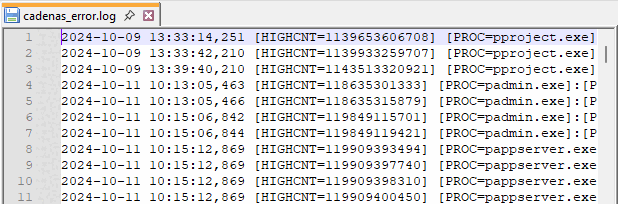
Output of the logging data is done in the output file under C:\Users\benutzername\AppData\Local\Temp\psol_logs. [4]
Global logging setting [Global logging settings] → Standard log level (Applies to all categories without a special log level) [Standard log level (true for all categories without specialized loglevel)]
To change the log level for all logger categories together, select the desired list item in the list field:
Logs are generated that are larger or equal to the set log level.
Valid is: TRACE < DEBUG < INFO < WARN < ERROR < FATAL
Under Logger category you can see the hierarchy of the individual categories starting from the root element "cadenas" down to individual applications, libraries and scripts.
Specialized log level [specialized log level] and effective log level [Effective log level]
If "OFF " is selected for Specialized log level [specialized log level], the value set under Global logging settings -> Standard log level (applies to all categories without a special log level) [Standard log level (true for all categories without specialized loglevel)] is displayed under Effective log level.
If an individual setting is made for a specific logger category [Logger category], this is displayed under Effective log level.
To determine an individual log level, click on the displayed value under Specialized log level [specialized log level], open the selection list and click on the desired value.
If the delivery status is changed, the following file is created under $CADENAS_USER the file log4cxx.properties. Changes to this file should only be made in consultation with CADENAS Consultants.[5]
![Logging settings [Log settings] Logging settings](resources/img/img_60fac00b154741a8b135ddc4bd7f0445.png)


![[Important]](images/important.png)
![[Note]](images/note.png)