4.3.4. SAP
ECTR
4.3.4.6. Customizing the 3Dfindit ERP interface
|  |
| Prev | Next |
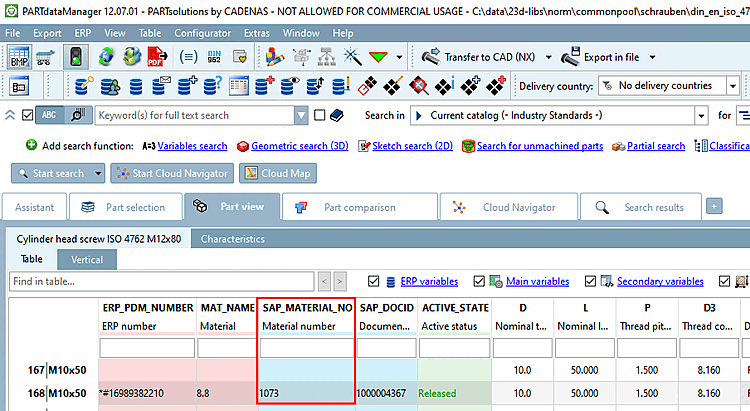
Enter the column with the SAP material number.
[VARS] ERPFIELDDB
Standard entry is "ERP_PDM_NUMBER".
This can be overridden with...
[VARS] SAPFIELDDB
The following scripts are available, which can be executed via the corresponding buttons in the PARTdataManager (partly in 3Dfindit ) can be executed
Make sure that the buttons are displayed in the ERP toolbar.
| ||||
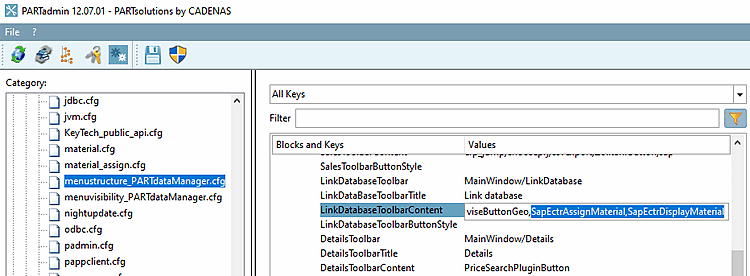
If this is not the case, enter the required button names in menustructure.PARTdataManager.cfg
> Block Tweakmenu > Key LinkDatabaseToolbarContent. The key may also need to be set in visibility.PARTdataManager.cfg must also be set.
 erp_sapectr_assignmaterial: Connects a line in the PARTdataManager to an existing material master in SAP. A dialog is opened in which a material number must be entered. A LinkDb data record is then created and existing documents (PLMTABLE2) are linked to the material in SAP.
Tooltip: Linking existing material master (new)
Button names (for menustructure.PARTdataManager.cfg
resp. menuvisibility.PARTdataManager.cfg):
SapEctrAssignMaterial: New LinkDb entry is written (Note: Set entry in menustructure.PARTdataManager.cfg.)
SapEctrAssignMaterialVars: New LinkDb entry is written for variants (Note: Set entry in menuvisibility_PARTdataManager.cfg
and menustructure.PARTdataManager.cfg.)
SapEctrAssignMaterialModify: Existing LinkDb entry is modified (Note: Set entry in menuvisibility_PARTdataManager.cfg
and menustructure.PARTdataManager.cfg.)
SapEctrAssignMaterialVarsModify: Existing LinkDb entry is modified for variants (Note: Set entry in menuvisibility_PARTdataManager.cfg
and menustructure.PARTdataManager.cfg.)
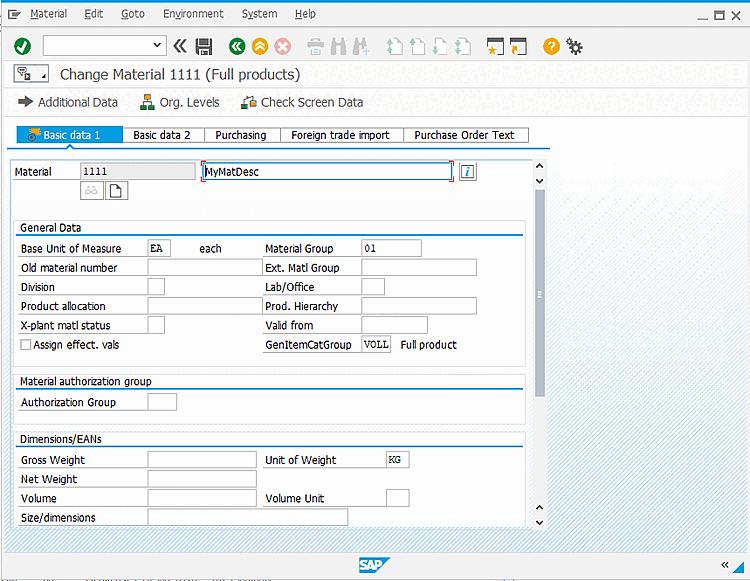
 erp_sapectr_changematerial: Opens the SAP dialog to change the values of the material master. SAP material number must be filled in the currently selected line.
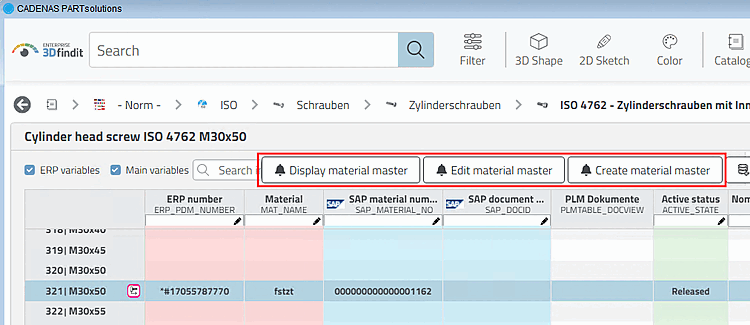
In 3Dfindit, this corresponds to the button.
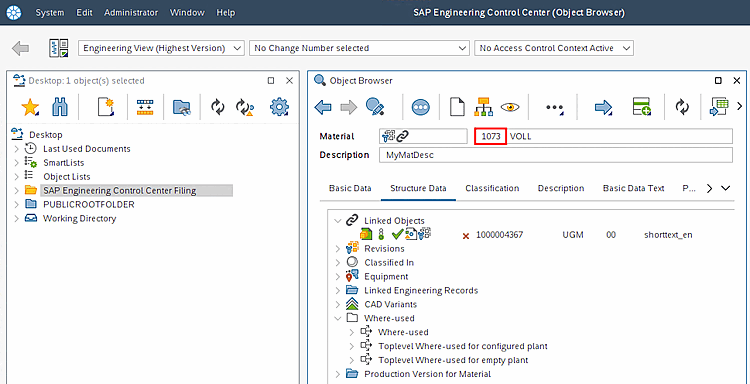
 erp_sapectr_displaymaterial: Opens the material from the selected line in the PARTdataManager opens the material in SAP ECTR for viewing in the Object Browser. The SAP material number must be filled in the currently selected line.
In 3Dfindit, this corresponds to the button.
 erp_sapectr_showdis: Opens a dialog that displays the linked documents for the currently selected material.
Button name: SapEctrShowDis (Note: Set entry in menustructure.PARTdataManager.cfg.)
Tooltip: Show SAP [Show SAP document data] document data (Show SAP document data)
[SHOWDISFILTER] validDocumentID, favouriteDocumentID, releasedStatus, onlyLatestOrLatestReleased (Filtering documents which shall be displayed)
[SHOWDISFILTER] #:VALS_N;0,1 #:HELP; default; Drop all DIS but the latest released or (if no released DISexists) the latest. LastestReleasedOrLatest=1 #:HELP; The state of a released DIS. This is required for the
 /
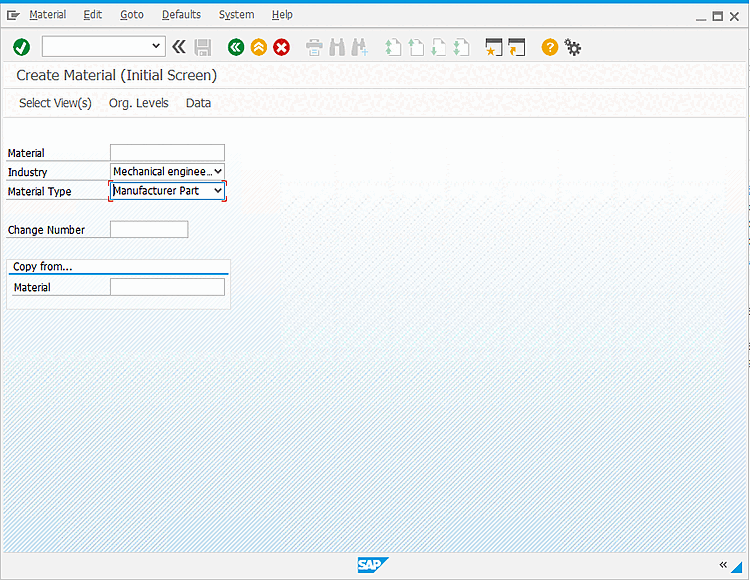
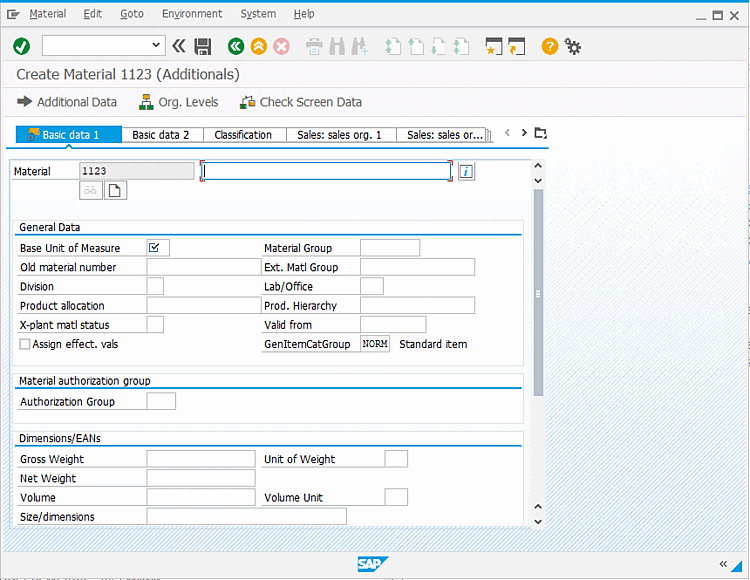
/  erp_sapectr_mm: Starts the
Material master creation in SAP (optionally pre-filled with values from
3Dfindit).
erp_sapectr_mm: Starts the
Material master creation in SAP (optionally pre-filled with values from
3Dfindit).
corresponds to the button in 3Dfindit.
Button name: SapEctrMM, SapEctrMMVars (with variant)
Tooltip: SAP MM system [Create SAP material master] or SAP MM system (variant) [Create SAP material master (Variant)] (Note: Set entry in menuvisibility_PARTdataManager.cfg
and menustructure.PARTdataManager.cfg.)
[ADDTODB_MM] 1=erp_sapectr_mm.vbb (comparable to the automatism of the additional function createAndLinkMaterial )
[ADDTODB_MM_VARS] 1=$CADENAS_SETUP/scripts/erp/erp_edit_varset.vbb 2=erp_sapectr_mm.vbb
Alternatively, the erp_sapectr_mm.vbb can be added to [ADDTODB], in which case the attachment runs under Add record to link database [Add dataset to link database]
 and not under a separate button.
(erp_export_ts.vbb also triggers Add data record to link database [Add dataset to link database] )
[SAPMM] Enter default values in SAP dialog
[SAPMM] GP.IMP_TYPE=VOLL MAKT-MKTXT DE=?Left(Application.ViewTable.Table.SelectedRow.
Buttons are loaded as follows:
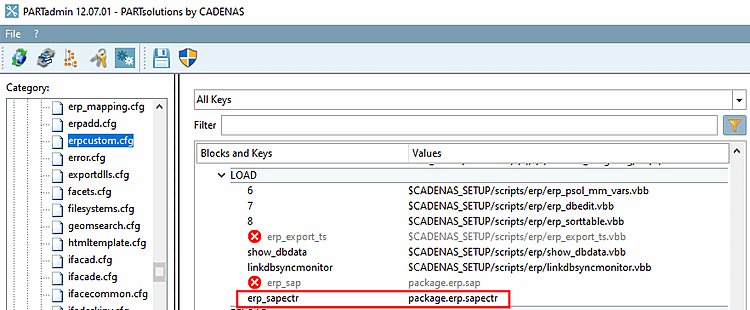
Activate the key erp_sapectr with the value package.erp.sapectr in erpcustom.cfg, block [LOAD].
Precondition for full functionality is a correctly set up SAP ECTR interface (ifsapectr.cfg).

![[Note]](images/note.png)