5.12.12.6.  Class systems: export translations...

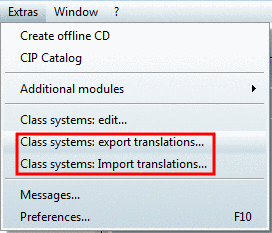
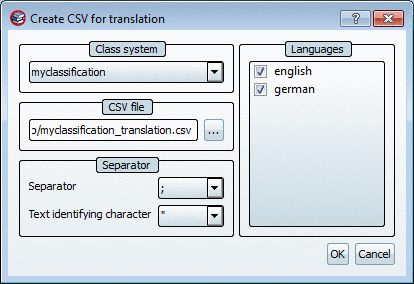
With the command Class systems: Export translations... [Class systems: export translations...] command to open the Create CSV for translations [Create CSV for translation] dialog box.

Class systems: export translations...

Class systems: export translations...

Make the following settings in the Create CSV for translations [Create CSV for translation] dialog box:

Translate class [Translate class system] system/import [Import translations] translations [Translate class system] Export translations Import translations

Translate class [Translate class system] system/import [Import translations] translations [Translate class system]

The remaining default settings can be carried over.

Confirm with OK.

Once the translation is complete, use Class systems: Import translations [Class systems: import translations...]... to open the Import translations dialog box.

The content of this corresponds to the Create CSV for translations [Create CSV for translation] dialog box. Make the same settings as for the export and confirm with OK.