5.12.13.6. Use parts in
NX
5.12.13.6.2. PARTsolutions Place component manually |  |
| Prev | Next |
The following describes how to insert a PARTsolutions part using standard NX tools. In this example, the inserted part is connected to a manually created part (see Section 5.12.13.6.1, “Design parts in NX via path structure and "Stock" function”). (In placement dialog
The PARTsolutions part behaves in the same way like a manually created native NX part.
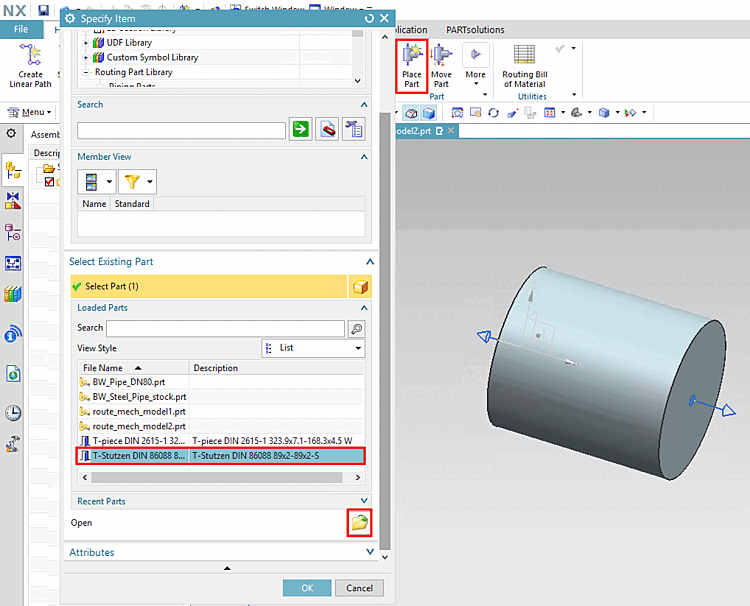
-> The Specify Item dialog opens.
Either click on Open to open any part via the Explorer or select a part from the list under Loaded Parts.
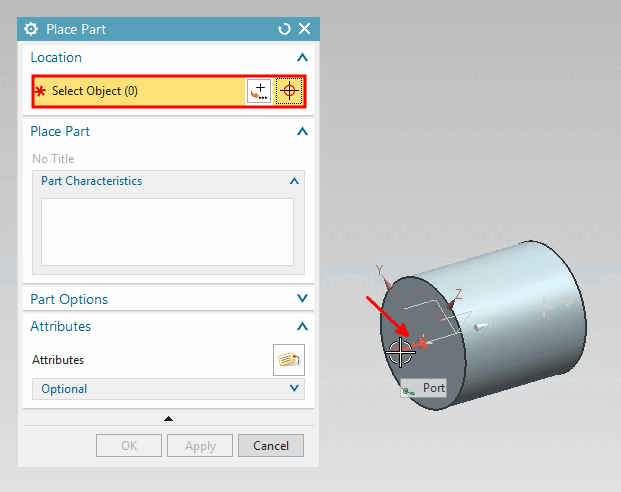
Move the cursor over the desired port and confirm with a left-click.
-> The part is inserted.
| ||||
[a] Anchor points are automatically calculated. At a T-piece for example in the intersection of main path and sub-paths of pipe. | ||||
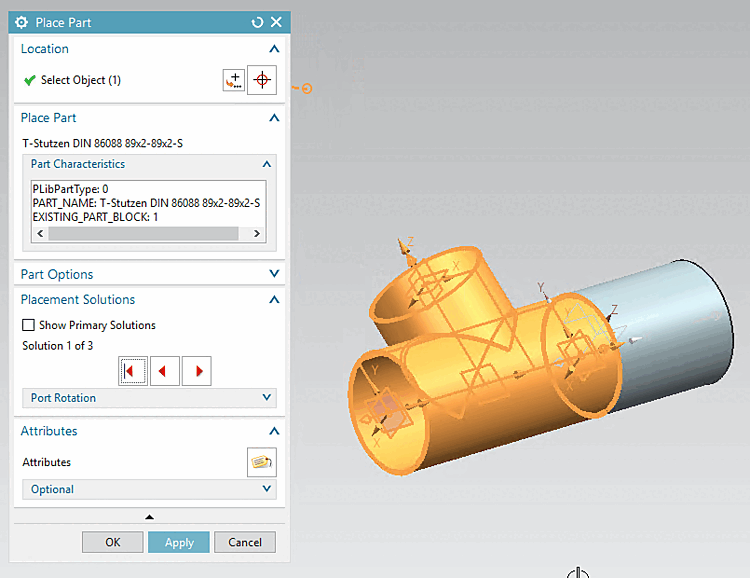
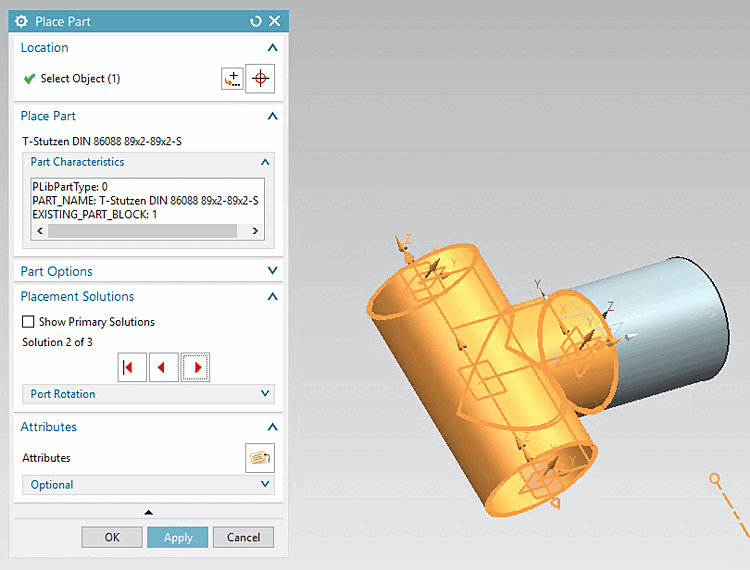
Using the red arrow keys you can go through the possible solutions.
![[Note]](images/note.png)