|
|
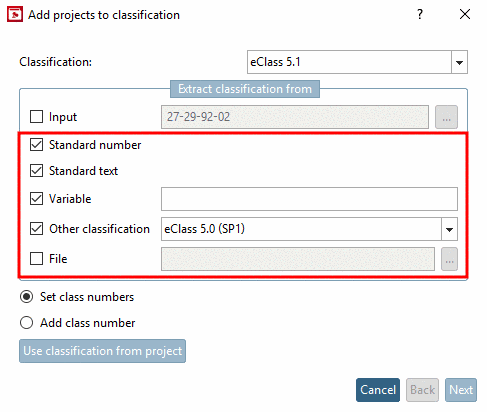
A classification was possibly already conducted and the classification number already entered at another location. Using the following options the number can be extracted at said location and used for the allocation.
The following options can also be combined:
Enter the appropriate variable of the table in which the number is located.
If a classification for eClass 4.0 was already conducted, for example, then this information can now be mapped to eClass 5.1.
| ||||
The classification can also be set via File.
|
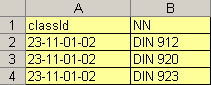
The file must contain two attributes: class ID and NN (standard number). You can assign as many class IDs as you like for each standard number. |
|
Activate the checkbox and set the path to the file via the browse button .
![[Note]](images/note.png) | Note |
|---|---|
The automatism can also be used to fill your own classification. Example: Taking over the order number from a table row in order to build your own classification. More information for creating own classifications can be found under Section 5.12.15, “Apply own Class system ”. | |