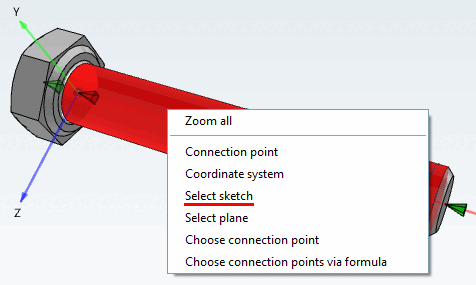
Right-click in the 3D view to open the context menu.
To classify axes, points, etc., select Select sketch.
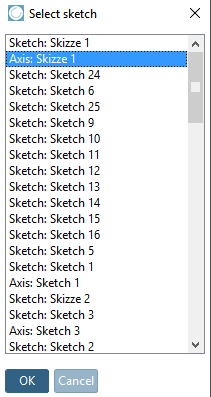
-> The Select sketch dialog box appears.
If you want to classify an axis, for example, select the corresponding sketch (here in the example "Axis: Sketch 1").
Confirm with OK.
-> The editing dialog is opened.
The process complies with the one described under Section 5.12.10, “ Classify standard parts for placement dialog ”.