5.12.5. Classify connection points
5.12.5.1.
Published elements - Select attachment point
|  |
| Prev | Next |
In practice, a large number of classifications are made using connection points (e.g. for pipe connections). See also Section 5.12.10, “ Classify standard parts for placement dialog ”.
Below this, select the 3D view option in the list selection.
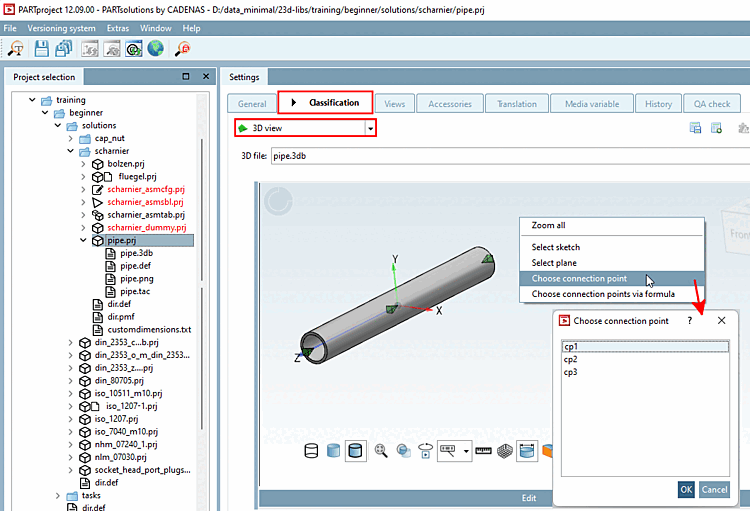
-> If no connection point has yet been classified, the 3D view opens on its own. Open the context menu.
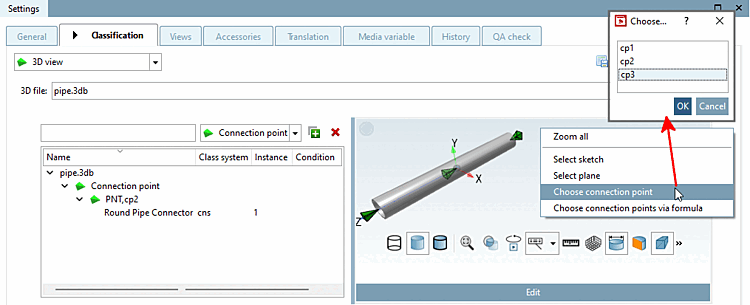
-> If a connection point has already been classified, the 3D view opens together with a list of connection points that have already been classified. Open the context menu here too.
Click on the context menu command Select connection point [Choose connection point].
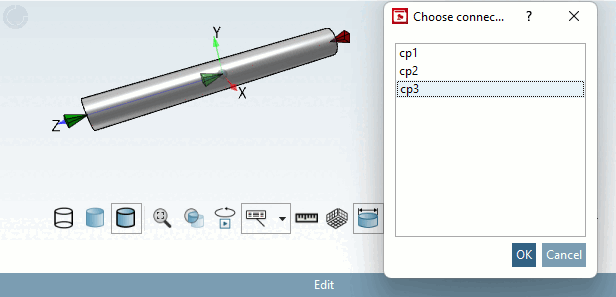
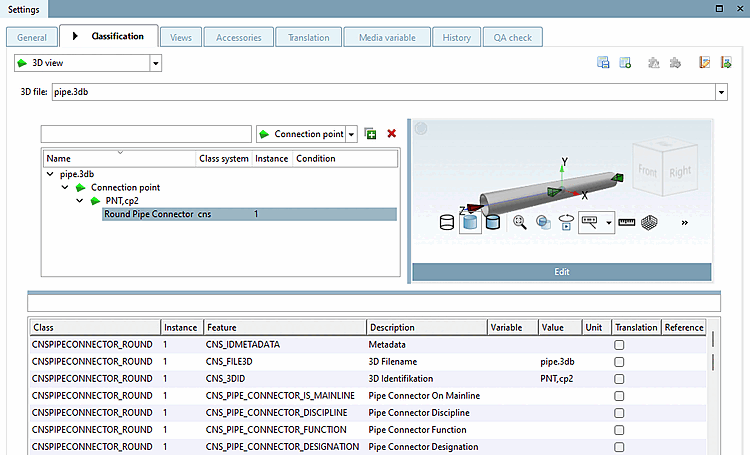
Select the desired connection point. (In this example, only one is currently visible (PNT, cp2). Otherwise, all connection points to which a class has already been assigned are displayed here).
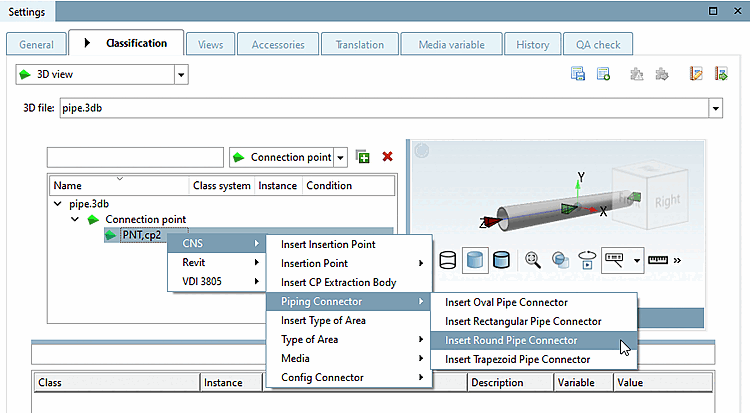
-> All possible classifications that contain classes for connection points are displayed. (In this example, these are CNS, Revit and VDI 3805 ).
Open the desired submenu and select the class.
-> All characteristics of the selected class are now displayed in the dialog area below.
Assign a variable [Variable] or a value [Value] to the desired characteristics or enter a reference [Reference] to another class.
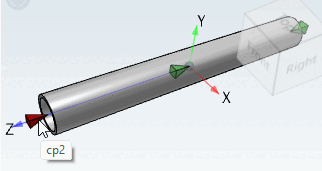
If you move the mouse over a connection point, a tooltip with the name of the connection point is displayed.
If you select a specific connection point in the Select connection point [Choose connection point] dialog box, it is highlighted in red in the preview.
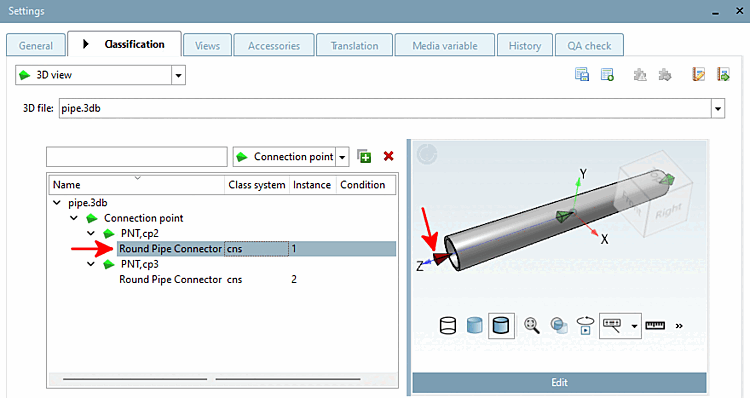
By selecting a connection point in the dialog (left), it is highlighted in red in the 3D view (right).
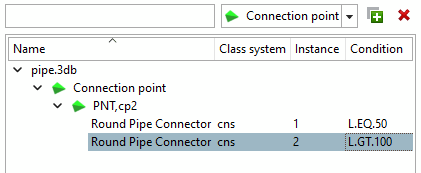
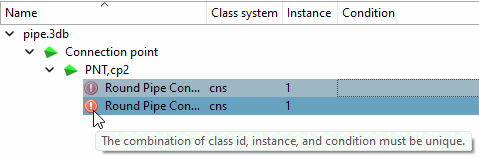
You can create several instances of a class and assign conditions to them.
Erroneous
Information is indicated by an icon  .
.

![[Note]](images/note.png)