|
|
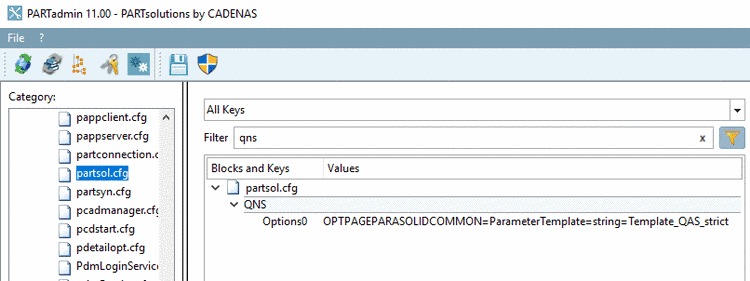
As of V11SP4 there
are three default templates für the Q&S Import ($CADENAS_SETUP/partsol.cfg):
These templates should be used in this sequence.
Options0=OPTPAGEPARASOLIDCOMMON=ParameterTemplate=string=Template_QAS_strict
;Options0=OPTPAGEPARASOLIDCOMMON=ParameterTemplate=string=Template_QAS_lazy
;Options0=OPTPAGEPARASOLIDCOMMON=ParameterTemplate=string=Template_QAS_lazy_crash
If the part to be
imported contains 2D faces, which however should not be imported, $CADENAS_SETUP/ifparasolid.cfg has to be
adjusted.
- ImportProcessorPreFilterBody on 5601 or set
- ImportProcessorPostFilterBody on 5601.
For ImportProcessorPostFilterBody: Copy line from ImportProcessorPreFilterBody, adjust it and set on 5601.
Difference: With ImportProcessorPreFilterBody 2D faces won't appear at all when importing, with ImportProcessorPostFilterBody the elements are removed.
![[Note]](images/note.png)