6.5.1. Create directory structure
6.5.1.2. Create new directory/project |  |
| Prev | Next |
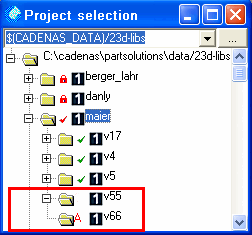
Creating a new directory takes place as follows:
"A " indicates that this directory/project must be uploaded to the server.
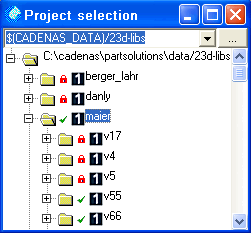
The command Upload changed files in directories/projects to the server [Upload changed files in directories / projects to the server] changes the icon to a green tick.
The Check in project (give up editing rights) [Check in project (set read-only)] command converts the symbol into the lock symbol.