5.5. Create project - Small example from A to
Z
5.5.6. Step 6: Test the new project in PARTdataManager /
3Dfindit |  |
| Prev | Next |
5.5. Create project - Small example from A to
Z
5.5.6. Step 6: Test the new project in PARTdataManager /
3Dfindit | |
| Prev | Next |
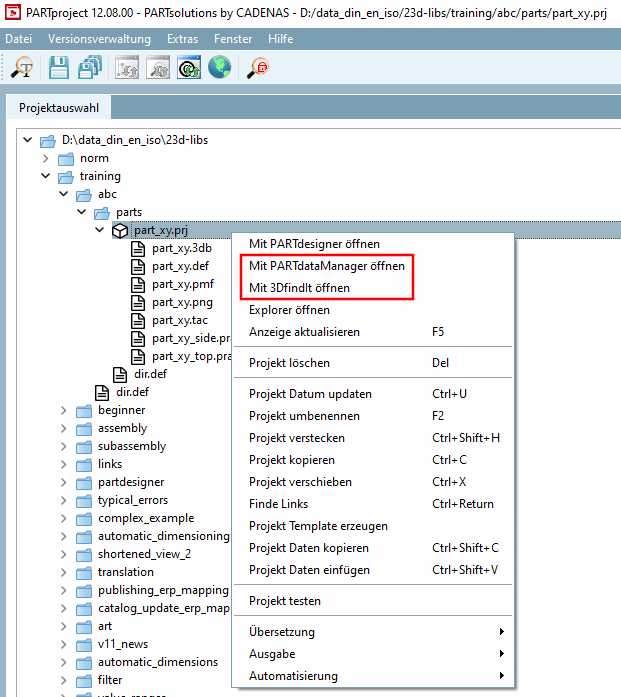
Click the context menu command Open with PARTdataManager [Open with PARTdataManager] or Open with 3DfindIt.
Open with PARTdataManager: [Open with PARTdataManager]
→ PARTdataManager is started and the part is opened in the part view [Part view].
→ 3Dfindit is started and the component is initially opened with a table and 3D view.
![PARTdataManager Parts view [Part view]](resources/img/img_784ed9fe3f124ae8a557e4fcf5d83e62.png)
![3Dfindit parts view [Part view]](resources/img/img_e2b91f2882664bc3a0b3a0bd4bb6e5b1.png)