5.9.2. Tabbed page: General
5.9.2.12. Menu item: Expiry date (End of Life)
|  |
| Prev | Next |
In PARTproject, the expiration date of projects can be set according to the specifications of the catalog manufacturer.
![[Note]](images/note.png) | Note |
|---|---|
The expiration date can be set for the whole project. In this section you can find details on this. However, the expiration date can also be set differently for single lines, namely automated (see Section 5.9.15.2, “ Mark lines as expired... ”) or manually (see Section 5.8.2.1.20.19, “ Set EndOfLife line by line (via batch run) ”). | |
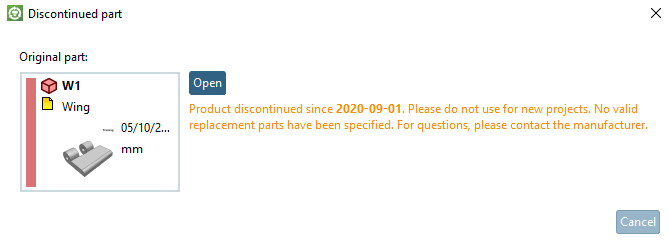
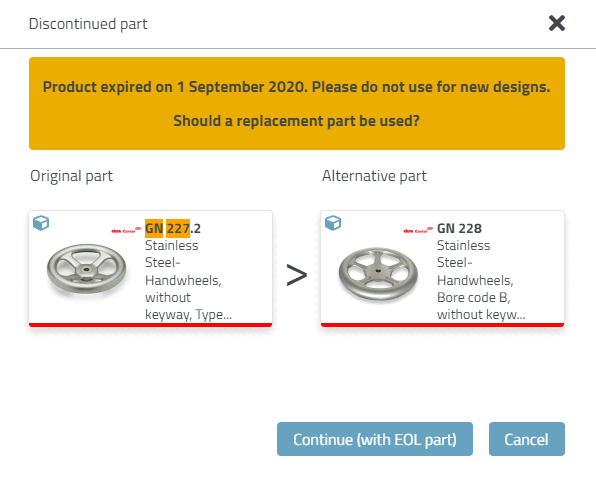
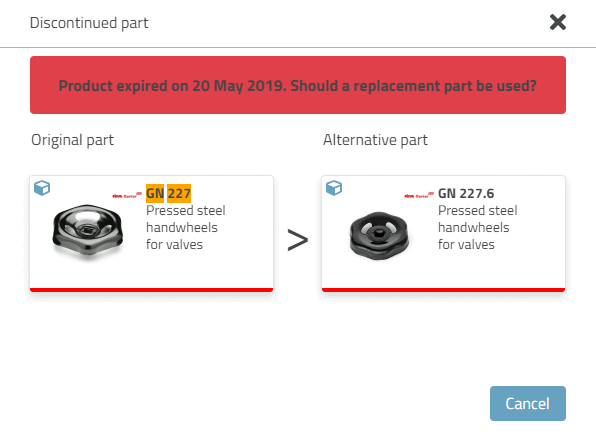
In 3Dfindit / PARTdataManager, the display of certain icons and dialogs is then controlled accordingly, which provide information on the expiration date and further usability.
| Note |
|---|---|
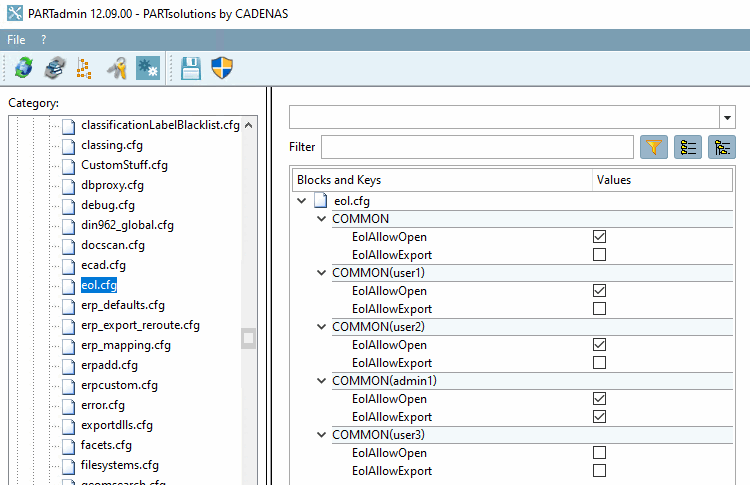
Whether a part
can be opened and/or exported, the setting in the
Configuration file
| |
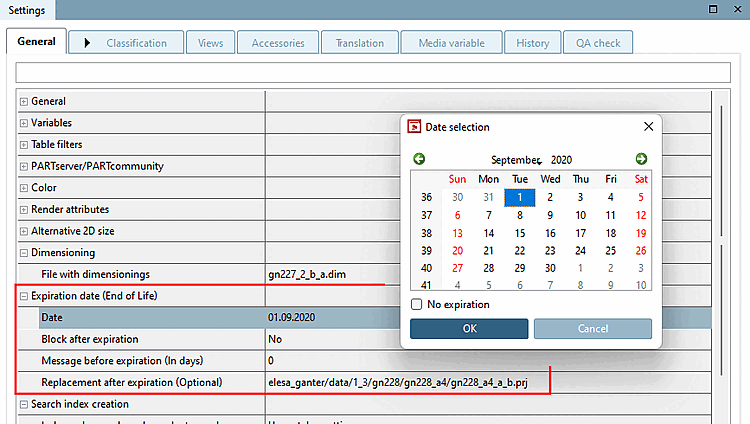
Setting options in PARTproject -> Tabbed page Settings -> Tabbed page General -> Menu item Expiration date (End of Life)
Here you can set an expiration date at project level, optionally.
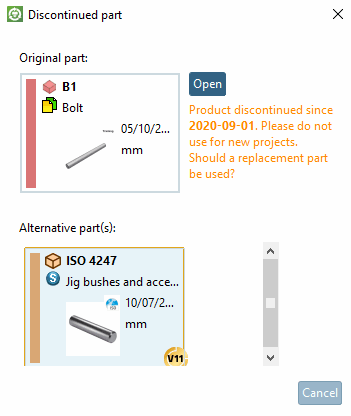
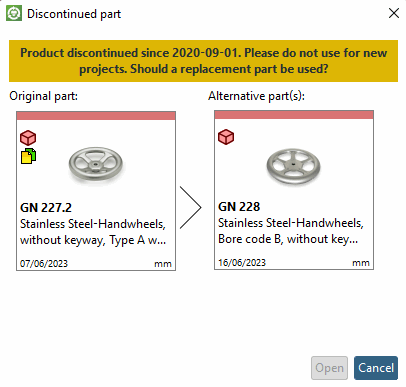
The corresponding message appears when calling up 3Dfindit / PARTdataManager.
Message before expiration (In days)
If you are not yet within the specified time interval before the expiration date [Expiration date], no icon will be displayed and no corresponding dialog will appear when you open the part.
If the expiration date has already been reached or exceeded, the Lock after expiry [Block after expiration] item becomes relevant.
Replacement after expiration (Optional)
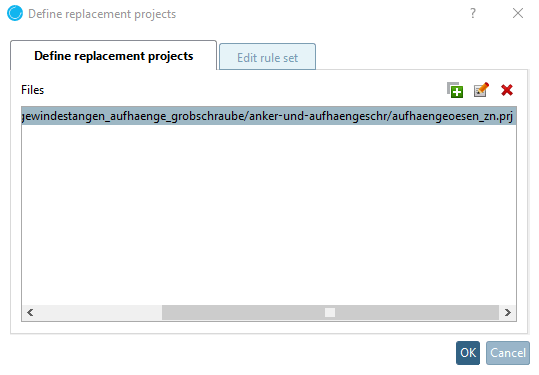
After clicking on the Define replacement projects dialog box appears:
Use the New button to define button to define any number of spare parts. An Explorer window opens for this purpose.
Manual editing should only be performed by CADENAS Consulting.
Automatically generated entries are set here using the Set EndOfLife line by line [Set EndOfLife per line] function, for example. Details on this can be found at Section 5.8.2.1.20.19, “ Set EndOfLife line by line (via batch run) ”.
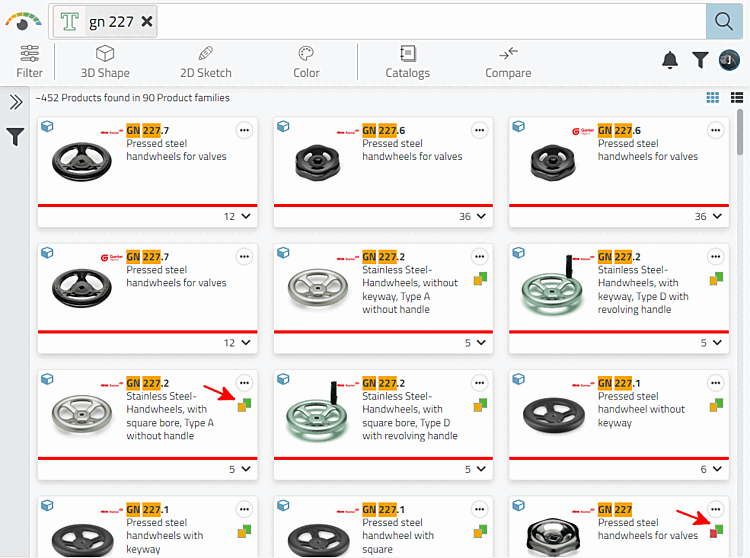
In the settings dialog of PARTproject, the value combination of Lock after expiration [Block after expiration] and Replace after expiration (optional) [Replacement after expiration (Optional)] controls the icon displayed in the product selection of 3Dfindit or PARTdataManager.
![[Tip]](images/tip.png) | Tip |
|---|---|
The following markups complement each other.
| |
![PARTdataManager -> Parts selection [Part selection]](resources/img/img_299986cf84e64db2adc49a026c1b949f.png)