5.8.2.1.19.
Output
5.8.2.1.19.10.
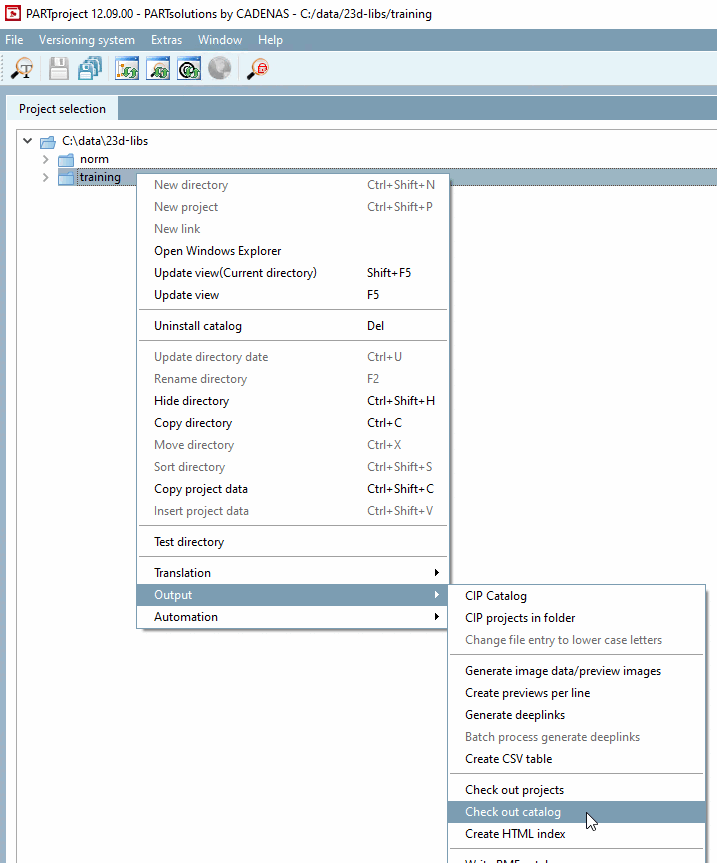
Check out catalog
|  |
| Prev | Next |
If you want to check out a catalog, i.e. copy it to another directory, you can first change its composition, or more precisely reduce it. To do this, create so-called filters in the Edit project dialog box[22] these filters are "pressed" onto the relevant projects like "stamps". Once equipped with such a filter, the corresponding project file can be addressed selectively.
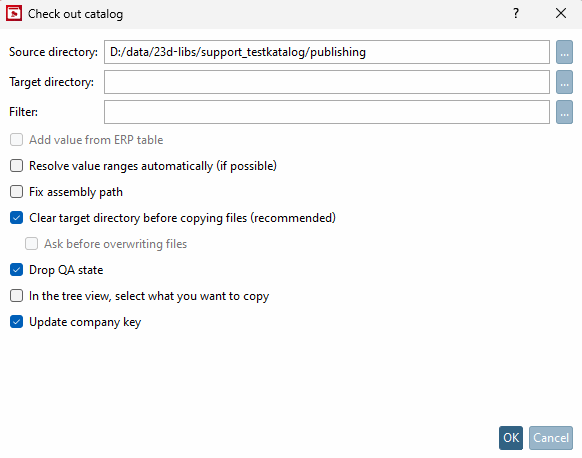
Source directory: Is entered automatically according to the selection.
Target directory: Optional. Attention, without an entry, the target directory is the same as the source directory.
| ||||
Adding values from the [Add value from ERP table] ERP table (without ERP integration, the option appears grayed out)
Empty the destination directory before copying
(recommended): [Clear target directory before copying files (recommended)] Copying does not only affect projects, but also
also dir.prj and/or dir.def, which is the case with an overwrite
can lead to problems. Therefore, it is recommended to only copy to
empty target directories or to use them beforehand
empty.
Lower QA status [Drop QA state]: Projects may be changed during check-out. The catalog is therefore downgraded to QA level 3 after check-out. The option is activated by default.
If the catalogs or projects in the directory are below level 3, the status is not adjusted. The setting is activated by default, but can be deactivated if required (not recommended).
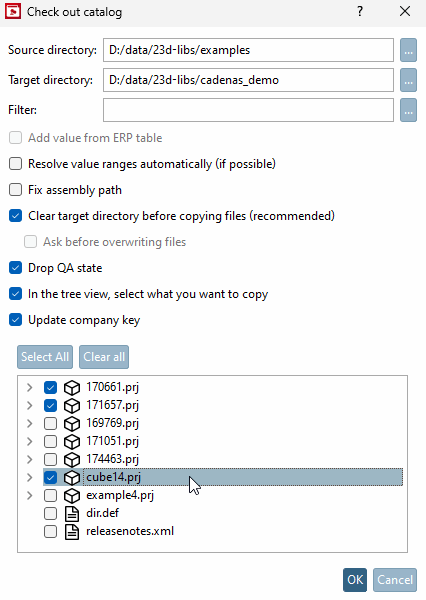
In the tree view, select what is to be copied [In the tree view, select what you want to copy]: When activated, an extra area opens below the settings options with the tree view, where you can select directories and/or projects to be copied using the checkboxes.
Update company key: Activate the option if you are copying between different catalogs.
In this example, a subdirectory was copied from the training catalog to the demo catalog. The value of "Company key [Company key]" has been updated for the copied subdirectory.
[22] Under Section 5.9.2.5, “Menu item: Table filter ”you will find details on how to create the filters.
In the PARTdataManager it is also possible to control the scope of the displayed catalog projects using filters (see tab page " Part selection" -> Project filter ).
![[Note]](images/note.png)
![[Caution]](images/caution.png)
![In this example, a subdirectory was copied from the training catalog to the demo catalog. The value of "Company key [Company key]" has been updated for the copied subdirectory.](resources/img/img_0ad3e842a60d4f39a2764d592173ed7d.png)