3.5. CAD comprehensive reference of all menu commands
3.5.10.
Execute Geometric Search
|  |
| Prev | Next |
In the following is described how you can execute a geometric search for any part in your CAD system. The parts to compare can be from standard, supplier or own part catalogs.
The geometric search (3D) [Geometric search (3D)] is suitable for text-independent searches, also as a supplement to the full text search, especially for searching in the own parts pool, for unclassified parts or parts that are not recorded in ERP/PDM. Thanks to its precision, you can find the proverbial needle in a haystack.
Click
In the ENTERPRISE-3dfindit menu (or in the
toolbar) of your CAD system on Geometric Search [Execute Geometric Search]
 .
.
-> If the target is unique (3Dfindit or PARTdataManager ) and the search part is unique, the search is executed immediately and the focus goes to 3Dfindit or PARTdataManager.
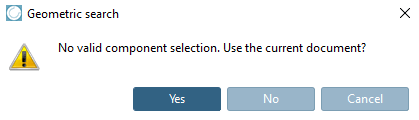
If it is an assembly group, a dialog appears:
"No valid component selection. Use the current document?
-> Immediately after selection and confirmation, the focus moves to the target application, the search is executed and the results are displayed.
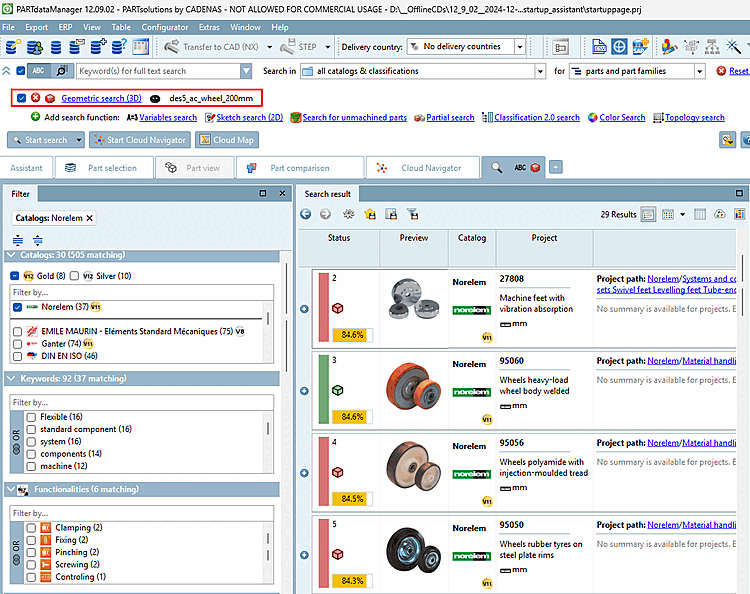
-> The search part is displayed under Search function
Geometric search (3D)
loaded and activated  . The corresponding preview image is displayed.
(Both may take a moment.)
. The corresponding preview image is displayed.
(Both may take a moment.)
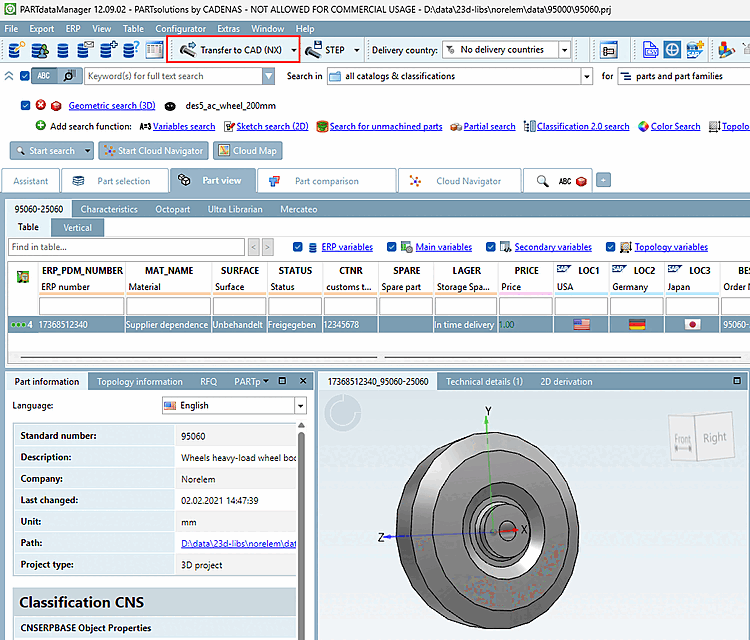
When you open a part, you can export it using Export.
Details on Geometric search in PARTdataManager = Geometric search (3D) [Geometric Search (3D)] can be found under Section 3.1.6.4.6, “ Geometric search (3D) ” in ENTERPRISE 3Dfindit (Professional) - User.
![Call "Perform geometric search [Execute Geometric Search]" as an example in NX](resources/img/img_0097a1c6bab4447ba32627d5ccd76683.png)
![Select application [Choose Application]](resources/img/img_2443602efaf6420bb72211e48a60d6a7.png)