3.5. CAD comprehensive reference of all menu commands
3.5.10.
Perform a geometric search
|  |
| Prev | Next |
The following describes how you can perform a geometric search for components in your CAD system. The reference parts to be searched can be standard and purchased parts as well as your own parts.
The geometric search (3D) [Geometric search (3D)] is suitable for text-independent searches, also as a supplement to the full text search, especially for searching in the own parts pool, for unclassified parts or parts that are not recorded in ERP/PDM. Thanks to its precision, you can find the proverbial needle in a haystack.
Click
In the ENTERPRISE-3dfindit menu (or in the
toolbar) of your CAD system on Geometric Search [Execute Geometric Search]
 .
.
-> If the target is unique and the search part is unique, the search is executed immediately and the focus goes to 3Dfindit.
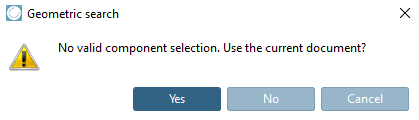
If it is an assembly group, a dialog appears:
"No valid component selection. Use the current document?
-> The search part is loaded into 3Dfindit, the search is executed immediately and the results are displayed.
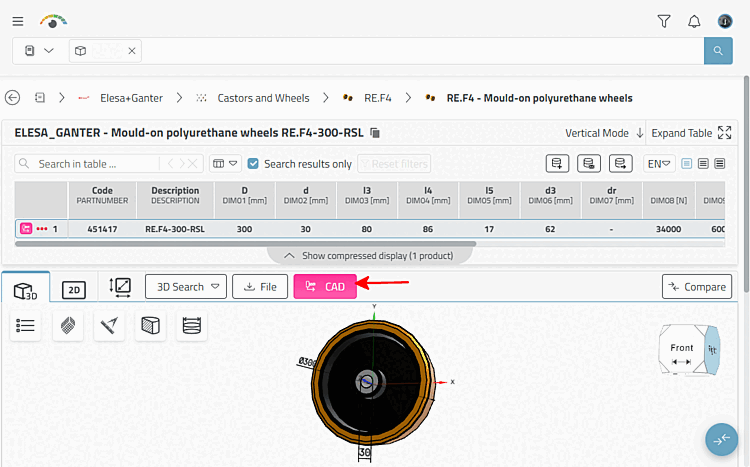
When you open a part, you can export it by clicking on the .
Details on the 3D search [3D Search] can be found under Section 5.5.2, “ 3D Shape Search ”.
![Call "Perform geometric search [Execute Geometric Search]" as an example in NX](resources/img/img_c9507b2e955746ddaff02d28bf20931f.png)
![Select application [Choose Application]](resources/img/img_7db2214d09064dfaadf39116f89313fc.png)