4.17. Further settings in plinkcommon.cfg

4.17.1. Dimensions-Merkmal pinnen an/aus / plinkcommon.cfg -> Block [PARTdataManager] -> Key "LockDimRange"
4.17.1.1. Hintergrundinformationen
4.17.2. Login-Optionen / plinkcommon.cfg -> Block [PARTdataManager] -> Key "LoginMode"
4.17.3. PARTlinkManager: Zeilenfarbe bei fehlender ERP_PDM_NUMBER / plinkcommon.cfg -> Block [COLORS]
4.17.4. E-Mail Einstellungen / plinkcommon.cfg -> Block [MAIL]
4.17.5. Eigenes Template für Request ERP number per e-mail / plinkcommon.cfg -> Block [MAIL] -> Key "TEMPLATE"
4.17.6. ERP bei Einzelteilen in Assemblytabellen / plinkcommon.cfg -> Block [PARTdataManager] -> Key "UseErpForAssPart"
4.17.6.1. Vorbereitungen zum praktischen Nachvollziehen der Funktionalität
4.17.6.2. Laden der Baugruppe im PARTdataManager
4.17.6.2.1. Baugruppe ohne ERP-Nummer
4.17.6.2.2. Baugruppe mit ERP-Nummer
4.17.6.3. Skripting - erweiterte Möglichkeiten
4.17.7. Volltextsuchindex aktualisieren bei LinkDB-Änderung / plinkcommon.cfg -> Block [Common] -> Key "UPDATESEARCHINDEX"
4.17.8. Normbezeichnung - Normbezeichnung (kurz) - Stücklistenbezeichnung anpassen / plinkcommon.cfg -> Block [PARTdataManager] -> Schlüssel "NB" "ShortNB" "LINA"

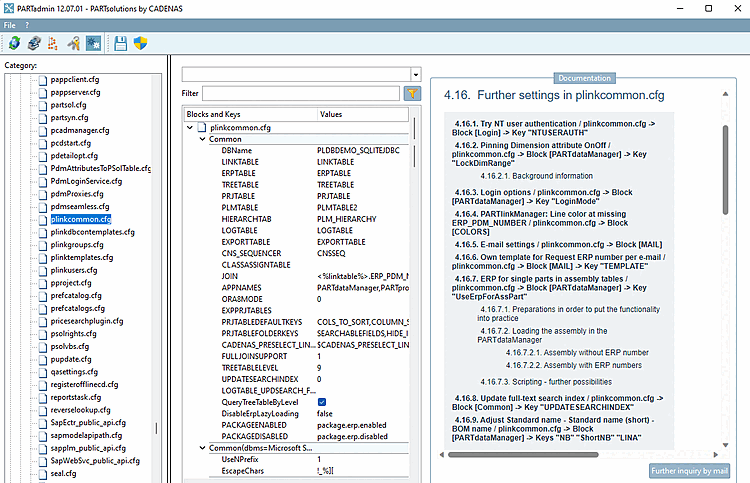
The configuration file plinkcommon.cfg contains user-independent settings for ERP integration (common settings or for example, for layout of the PARTdataManager and PARTlinkManager table, creation of needed database columns).

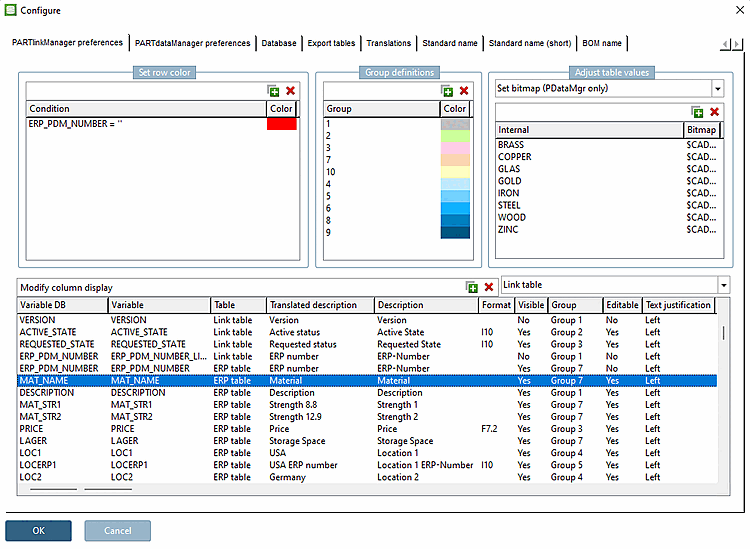
Many settings can be made via user interface. This can be called via PARTlinkManager -> Extras -> Configure ERP environment.

Some settings have to be performed explicitly in the configuration file plinkcommon.cfg (see figure below).